OtherInbox eats bacn

Otherinboxlogo

OtherInbox is a slick new service for handling all the email that isn't quite spam, but isn't from a real person either. Bacn is the cute term for all those Facebook, Twitter and LinkedIn notifications that you did sign up for, but you also don't care about as much as hand-written emails from your friends. OtherInbox aims to separate the wheat from the chaff by diverting all those automatic messages into their service, where they're organized into a simple interface with rules that understand most of the major senders. For example, you'll see that you have 3 new Twitter followers and 2 LinkedIn requests, rather than seeing them appear as mails scattered through your inbox.

For each organization sending you bacn, you change your email address to <company name>@<your name>.otherinbox.com. Then, instead of checking your email, you can log into OtherInbox and see all your updates at a glance. This should be a real time-saver, since only human emails will pop up in your mail program and grab your attention, and you can just check OtherInbox once a day.

Joshua Baer's been hacking on email for the last 10 years, so it's not surprising he's implementing a lot of cunning ideas through the service. More than just organizing bacn, he's also opening up a geeky practice to the masses; using unique user names to identify mail from different sources. They're scanning list-serv ids to automatically sort mailing lists, and providing RSS feeds of your notifications. There's a few glitches with the beta version, it files mails from my friends at Apple as bacn, but nothing that's more than a inconvenience. Overall, using it has been a very pleasant experience. It's still in private beta, but invite codes are possible to track down. [Update, they've passed along 25 to me here]

The ancient world of email has been drafted for all web services' communications, and that extra load has made it less useful. OtherInbox is a glimpse into a better future, where we have a smarter interface than a raw list of subject lines to help us deal with our messages.

When public relations defeated the Bubonic Plague

Yersiniapestis

Photo by Hukuzatuna

Last night I finished Plague Ports, a history of the third Bubonic Plague epidemic as it swept the globe a hundred years ago. It was a fascinating story, but one thing that really struck me was the role of public relations in saving lives. Geek culture has a negative view of marketing, something that was shared with the 'progressive' technocrats in charge of medicine at the turn of the century.

Medical officers in places like Cape Town, Honolulu, San Francisco and Rio were given sweeping emergency powers to do whatever they considered necessary to stop the plague. They had firm ideas based on the science of the time, some solid, like the use of vaccines, and others that have been proven false, such as the use of quarantine to prevent person-to-person contagion. With good intentions, they used their authority to impose these ideas on the local population, drafting squads to keep people from leaving their neighborhoods, forcibly disinfecting their belongings and demolishing houses.

Predictably the racist views that were common meant that much of the blame was heaped on low-status groups like the blacks in Brazil and South Africa, and the Chinese in the US. In Honolulu this culminated in the burning of the entire Chinatown district, and in South Africa it was the impetus behind the first formal apartheid segregation of groups into different residential areas.

Equally predictably, all the policies provoked resistance from the general population, especially those most affected by the measures. In Brazil, the Vaccination Revolt grew out of the popular resistance to enforced vaccination, and almost toppled the government. Less spectacular but more deadly was the widespread concealment of plague cases from the authorities, for fear of the imprisonment of anybody who knew them, and the defilement of their corpses by autopsies and quicklime burials. In San Francisco, 100% of the nearly 400 cases were fatal, a strong indication that many more were concealed by the Chinese community, and only the dead were revealed.

This all meant the plague's spread was effectively unchecked, and spread to far more victims than it would have if the best procedures known at the time had been followed. The big exception to this pattern of failure was in Sydney, Australia. J. Ashburton Thompson was in charge, and despite relying on almost exactly the same tactics as the other cities, was able to successfully implement them and so save hundreds of lives. What was his secret? He effectively communicated with everyone involved!

For example, when he'd implemented a quarantine, he went into the area, heard that people were clamoring for food, and arranged for the restaurants to serve everyone. He then hired the people from within the affected district for a good wage to disinfect their own neighborhood, rather than trucking in squads from outside. He organized a rat eradication program, explaining why it was necessary. His vaccination clinic was over-subscribed, to the extent that there was a near-riot by enthusiastic would-be patients. Unlike most of the other efforts, his was voluntary, but he sold people on it being a good idea. When some politicians balked at the price of his rat program, he organized a media campaign through the newspapers, and successfully pressured the government into agreeing.

I think as a community, we engineers are a lot like those technocrats, with deep knowledge in niches which most people don't understand at all. That makes impatience with their ignorance extremely tempting. It's obvious to us what needs doing, why should we have to spend precious time explaining it to those dolts? Let's just implement it!

User-adoption failure is the inevitable result. The users will sabotage any plan they don't buy into, guaranteed. A well-communicated message on how your product helps them is the first and most vital part of your user interface. Thompson shows us how rare and powerful having that real dialog with your stakeholders is.

Share your company’s expertise with SAVO

Savoscreenshot1

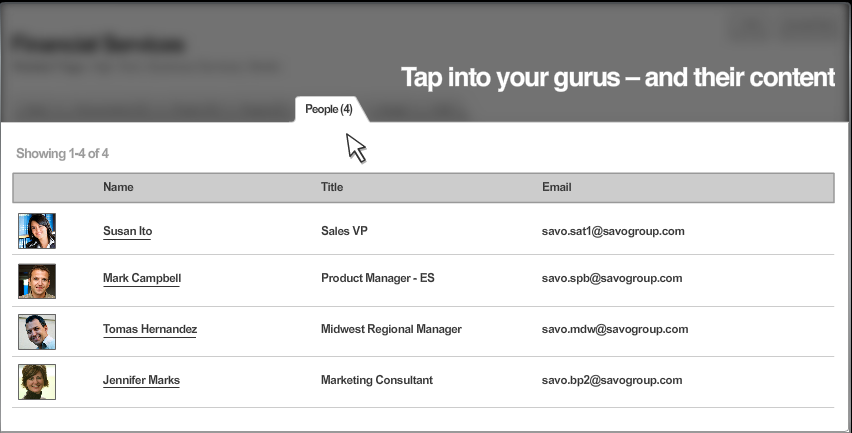
Mark Dascoli recently introduced me to SAVO, a system that aims to super-charge your salesforce by putting them in touch with the smart people and helpful documents you've already got hidden in your business. After my time at Apple, I'm obsessed with the potential for getting more done just by connecting the right individuals, so it's cheering to see a company based on that premise doing so well.

Their software is aimed at front-line sales reps, and works a bit like a traditional sales portal, offering example presentations, marketing material and tips. Most wikis and other user-curated systems like this rapidly degenerate into a tangled mess, requiring 'archaeological skills' to dig down and uncover anything useful. SAVO try to avoid this by letting users rank and comment on content, and with a tagging system to keep things organized.

What really seems intriguing is their insight that what makes a great sales rep is a deep network within the company, letting them reach out to the right experts at each point in the sales process. For example, being able to answer a customer's technical question might be the key to closing a deal, but that could mean knowing who to contact about an obscure aspect of product knowledge. They give reps a directory of expertise they can search, with is a huge step forward from relying on years of water-cooler osmosis to figure out who's who.

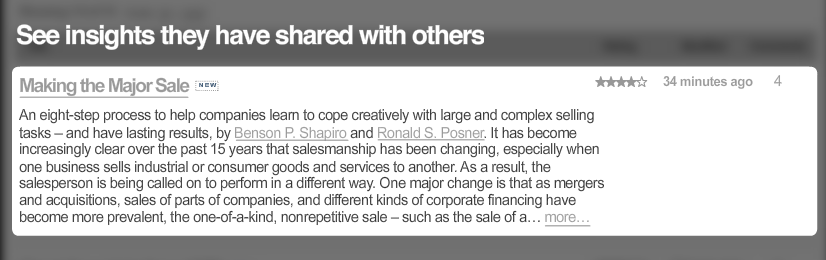
They also have some smart interface ideas, like being able to cc the system on any email exchange to add it as content. Savoscreenshot2

This seems exactly the right way to go. A lot of my email exchanges were about technical points that would be useful as searchable resources within the company, but weren't worth the effort to tidy up and create as a web page.

My work with Mailana is based on taking that approach a step further, by automating the creation of an expertise directory by analyzing the company's email, and using the same process to make external contacts outside the company a sharable resource.

We're all aware of the potential of web technologies within companies, but there haven't been a lot of solid success stories. I'm very pleased to see SAVO out there validating us by making money!

Screen sharing with no installation

Yuuguuscreenshot

Sharing your screen is better than a 1000 words of explanation, and I do it constantly both for demos and track down problems remotely. The problem is that screen-sharing software has traditionally been a nightmare to use. Apple has refined its remote desktop functionality, but it's still definitely a geek application, with a space-shuttle control panel of options. What I want is something that just works, with no messing around and zero configuration.

I've long been a fan of CrossLoop, and know Mrinal Desai, one of their founders, very well. Crossloop lets you run the app on two machines, using a simple PIN to identify your session and connect. It's still my favorite for doing one-to-one debugging sessions between two Windows machines, but I recently came across Yuuguu, and I'll now be using it any time I need to demo. What's so great about it?

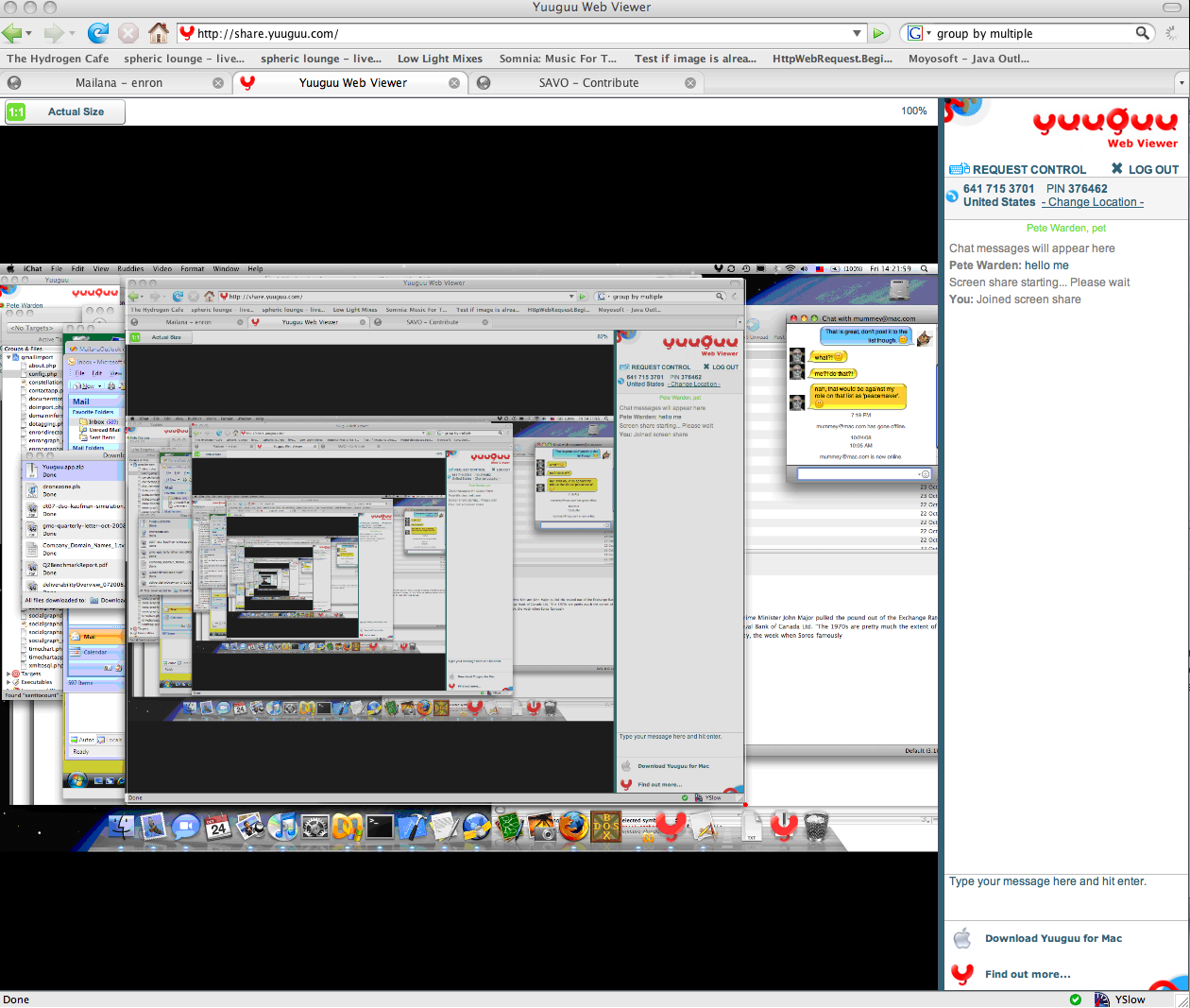
Flash-based viewing. The host needs to install the application, but then any viewers just need to visit the sharing page, enter their PIN and name, and they'll see your screen in the browser. This opens the door to friction-free demos, no longer do I have to ask busy people to download and install anything before I can show them what I'm doing.

Cross-platform. Viewing is inherently cross-platform, since it's using Flash, but they've also gone to a lot of trouble to port the host to OS X and Linux as well as Windows.

Multiple viewers. You can have several people logged in as viewers, and I haven't noticed any slowdown, unlike some traditional VNCs where extra connections increase the load on your outbound traffic. This makes it perfect for doing demos or training.

Built-in IM. They've got a chat window integrated into the host and the viewer, making it simple to communicate with the attendees.

British. Ok, so I'm biased, but I remember how hard it could be to get noticed in the tech world from the UK. It's great to see them producing such an innovative product, I want to see them succeed.

I do have a few niggles of course. I wish the share URL had the PIN included, eg http://share.yuuguu.com/?pin=12345678, rather than having to cut and paste twice. The UI is aimed at a pro audience, so I found it confusing initially, CrossLoop is a lot more approachable for non-techies. The presence of two 'Show' buttons (one when a person joins, and a master one) stopped me until I realized I had to press the second one too. And the 'Person X has left' notifications seemed to appear many minutes after they'd actually closed their browsers. It would be nice to get a faster refresh speed too.

These are all just rough edges though. I'll be using this a lot for demos and meetings going forward, it's a wonderful piece of software. They'll have a booth at Defrag if you want to see it in person.

Should you censor your emails?

Gagged

Photo by Meredith Farmer

I enjoyed reading the extracts from the S&P IMs and emails, especially the delightful image of cows arranging the debt structure. It's satisfying on a primal level to have some individuals to blame for the mortgage implosion. I'm worried though that the wrong lessons are being drawn. Here's a comment on that article:


1. Never email something you can say over the phone.

2. Never say something over the phone you can say in person.

3. Never say something in person that can be understood with a wink and a nod.

And never leave a voicemail that says anything but your name, number and asks the person to give you a call back.


That's probably sensible advice, but it's also very depressing. It's throwing away all the advances in speed, permanence, and searchability that we get from modern technologies like email or IM. If we all have to act like conspirators, it makes us a lot less productive. Even humor is a vital part of turning a bunch of individuals into a team, and Henry Blodget, who should know, comments:

It's the folks who are just chattering and venting to colleagues about
normal business tensions who are most at risk. The computer doesn't
capture the wink or head nod. It doesn't say "this is my first
reaction…when I have considered everything in detail, I'll give you
my final opinion." Etc.

I haven't read the S&P stuff, so I don't want to take a
position on the folks who wrote those specific emails. But I'd venture
to guess that, if you sat them down and asked "Was it your professional
opinion that the product you were rating was structured by cows," the
answer would be "Of course not. I was trying to make my colleague
laugh."


So what's the solution? Long-term, I'd really hope we could get away from being able to sway a jury or the media with a couple of juicy quotes taken out of context. Our unhealthy obsession with 'gaffes' in the presidential campaign is the same problem. As an audience we'd much rather focus on simple but superficial single sentences and find easy scapegoats, than actually spend time trying to understand the deeper issues.

Until then, I think the first comment is right. Be very careful about using humor in an email, it might come back to haunt you.

How to extract and categorize email addresses

Headfiling

Photo by SlightlyLessRandom

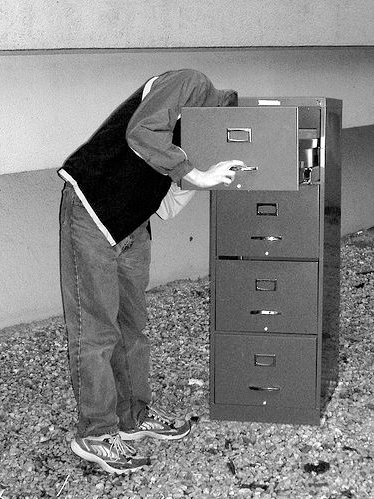
It’s possible to extract some interesting information from someone’s email address, such as which organization they represent, what type of organization it is, and whether it’s a work or personal account. This is very useful if you want to do automatic contact location in a Spoke-like way, eg who do I know at company X, and for the statistical analysis of large email stores in my own Mailana.

The key is the 80/20 rule. 80% of emails come from 20% of organizations. That makes it feasible to create a white-list that covers the most common US companies, colleges and ISPs, noting their type and giving the organization’s full name. With Liz’s help, I’ve put together an initial list of 2200. Here’s a demonstration of it in practice, or you can enter some addresses into the box below:

You can also download the source and list at http://mailana.com/labs/addresscategorizer.zip

It’s definitely not infallible, but it’s good enough to be useful for my purposes. The more organizations get added, the more accurate it gets, so to add your own edit the domaininformation.txt file. There’s a line for each organization, in this format:

organization domain|display name|type

Let me know if you do generate a larger list you’re willing to share, and I’ll update the example. Thanks to Christine DeMello for compiling her directory of colleges.

How to escape from a submarine

Submarine

Photo by Fuzzymucka

Bob Sutton is my favorite business writer, partly for his most recent The No Asshole Rule, but mostly for his older Hard Facts, Dangerous Half-Truths And Total Nonsense on evidence-based management. His argument is that we can be more successful by relying on real evidence to make our decisions. This sounds obvious, but he's great at pointing out how we're actually hard-wired to use all sorts of other criteria instead. As George Orwell said, "To see what is in front of your nose requires a constant struggle".

He recently reminded me of a great example: the history of submarine escape technology. The first people to escape from a sunken submarine let the water flood the vessel until the pressure equalized, opened the hatch and popped to the surface, exhaling as they went. The knowledge that this was feasible was never taught to subsequent submariners, and instead elaborate and hard-to-use pieces of escape technology were developed over decades. Eventually a British study of actual escapes in World War II showed that unassisted ascents had saved as many lives as those with equipment, and the technique was finally taught in basic training.

As technologists, we know that when you have a hammer, every problem looks like a nail. On a larger scale, when we have new technology and features, every problem looks like it needs it. For enterprise software, effective user adoption is considered the most critical factor by 70% of decision makers. Organization change and process alignment are next with 16% and 13%, while the actual functionality is down at 1%.

This backs up my personal experience that most new technology introduced into businesses fails because nobody wants to use it. The key to success is building something that people want to adopt. That's where some of the lessons from the consumer world are so useful, online services live or die by their usability. Keep your features minimal and do actual usability testing on your product, and you'll be ahead of 90% of business vendors! Don't keep building devices that will just sit on the shelf.

An online guide to hiking and biking trails near Los Angeles

Mishemokwasky

Photo by KnaPix

I was out doing trail work at the annual COSCA event on Saturday, and met up with another regular, Steve Clark. He runs a website that's a fantastic resource for anyone who likes to get out in the mountains west of LA, venturacountytrails.org. I've put up my own guides to a few of the local trails and campgrounds, but Steve's assembled a comprehensive set of maps and descriptions covering most routes in the area.

He's got GPS-based topo maps for all the places he covers, together with elevation charts and descriptions. I still always recommend having a good traditional map of any area you're exploring, but he's done a fantastic job of writing guides that make it very hard to get lost! Here's links to his coverage of some of my favorite areas:

Mount Pinos
Circle X
Rocky Peak
Wildwood
Cheeseboro

Great job Steve, you're really helping people discover the wonderful wilderness we've got on our doorstep.

How to access all that lovely Exchange data

Drillbit

Photo by Photobunny

Any company's Exchange server holds a wealth of information that could be used to build some very compelling tools, if only it was easily accessible. I've made it my mission to crack that silo and build some useful services, which has meant researching every way I can find of drilling in. Here's the approaches I've implemented or looked at:

Local MAPI

Microsoft has reused the acronym for Messaging API in multiple different projects. This version refers to the interface for accessing mail data held on the same machine. In use since 1992(!), it's supported by all configurations of Exchange, but it's deprecated and requires an optional component in 2007.

It offers fast access to all tasks, contacts, emails and calendars for every user. The biggest obstacle is that it requires server software installation, and most Exchange admins are deathly afraid of touching a working configuration. There's also other same-computer access APIs like ExOleDB that work very similarly. Mailana implements a server-side MAPI downloader as one of its entry points.

Exchange Web Services

EWS is the officially recommended replacement to local MAPI, but unfortunately it's only supported by Exchange 2007. Like MAPI, you can see all users' information as long as you have correctly setup the admin access account. It's a network interface, so there's no scary installation required. I've not implemented this yet.

MAPI/RPC

The other protocol named MAPI, this one is the network interface that Outlook uses to communicate with the Exchange server. It's not officially supported as an API, but third-parties like OpenMAPI have reverse-engineered it. The great promise of this approach is that you could implement a proxy server that sits in between Exchange and its Outlook clients, picking out all the information you want as it flows across the network with almost no change to the existing infrastructure. The downside is that you only see information as its sent back and forth, which means no access to historical data. You can see all the types of information supported by Outlook. This isn't implemented in Mailana, but it's definitely very attractive and I hope to work on it soon.

IMAP

IMAP is the standard internet protocal for sending mail between servers and clients. Many corporate networks have IMAP journaling enabled for Exchange to allow back-up services to pull down mail items for their archives. It gives you access all users' emails, but you can't see other items like contacts or meetings. This requires the admin to setup journaling on the server, but that's pretty low-impact. I've got IMAP support in Mailana, which as a bonus also lets me import Gmail accounts.

Outlook Add-in

From a client-side plugin to Outlook, all of a user's information is readable through the Outlook Object Model. You only have access to information that's been kept on the user's local machine. The really nasty bit is that this approach requires installation on every client machine connected to the server, and you have to jump through some hoops on older Outlook versions to avoid annoying security warnings. I've got this implemented in Mailana.

ActiveSync

Like MAPI/RPC, ActiveSync is designed to allow the transfer of tasks, emails and contacts between a device and the server. This means you only have access to a single user's information. It doesn't require any installation, and is enabled and supported on most servers. I've not implemented this.

How to implement video capture on the mac

Dogcam

Photo by pt

If you want to capture the data from an iSight (or any other video camera) on OS X, figuring out where to start is tough. Video input and output are both controlled by QuickTime, an amazingly successful framework, but as a long-lived interface to rapidly changing hardware it has accumulated an inpenetrable thicket of APIs. That means there's no obvious StartVideoCapture() function, instead you have to use some odd legacy calls.

Here's the official SGDataProcSample code demonstrating video capture to a data buffer. The actual source you want is in MiniMung.c, appropriately named after the joke acronym Mung Until No Good. Don't try to make too much sense of the actual functions, just accept that these are the magical incantations you need to mutter to get it working.

If you want an example of uploading the captured data to an OpenGL texture, you can download the source code to my Live Feed video plugin for Motion and look in LiveFeed.mm for the code. I have a separate thread running capturing the video and downloading it to a buffer, while the rendering thread constantly uploads a texture from it. There's a risk of tearing, but keeps the logic simple and doesn't require any blocking.