How can you solve organizational problems with visualizations?

Inflow

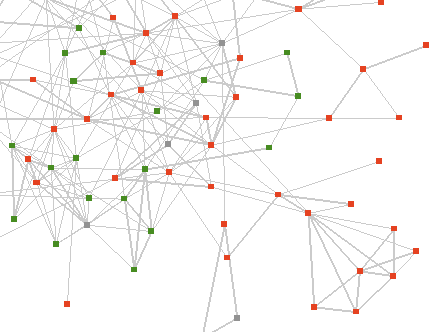
Valdis Krebs and his Orgnet consultancy have probably been looking at practical uses of network analysis longer than anyone. They have applied their InFlow software to hundreds of different cases, with a focus on problem solving within commercial organizations, but also looking at identifying terrorists, and the role of networks in science, medicine, politics and even sport.

I am especially interested in their work helping companies solve communication and organizational issues. I’ve had plenty of personal experience with merged teams that fail to integrate properly, wasted a lot of time reinventing wheels because we didn’t know a problem had already been solved within the company and been stuck in badly configured hierarchies that got in the way of doing the job.To the people at the coal-face the problems were usually clear, but network visualizations are a very powerful tool that could have been used to show management the reality of what’s happening. In their case studies, that seems to be exactly how they’ve used their work, as a navigational tool for upper management to get a better grasp on what’s happening in the field, and to suggest possible solutions.

Orgnet’s approach is also interesting because they are solving a series of specialized problems with a bespoke, boutique service, whereas most people analyzing company’s data are trying to design mass market tools that will solve a large problem like spam or litigation discovery with little hand-holding from the creators of the software. That gives them unique experience exploring some areas that may lead to really innovative solutions to larger problems in the future.

You should check out the Network Weaving blog, written by Valdis, Jack Ricchiuto and June Holley. Another great thing about their work is that their background is in management and organizations, rather than being technical. That seems to help them avoid the common problem of having a technical solution that’s looking for a real-world problem to solve!

Is there anything interesting MIT isn’t involved in?

Buddygraph

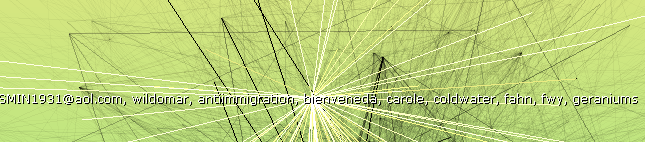
MIT is the Kevin Bacon of the web research world. It’s hard to investigate any bleeding-edge topic without bumping into one of their projects. For example Piggy Bank is one of the earliest attempts to build the semantic web from the bottom up, and now I’ve discovered their work with Social Network Fragments. Danah Boyd collaborated with Jeffrey Potter and his BuddyGraph project to explore how to derive interesting social graphs from someone’s email messages.

The app they show is somewhat similar to Outlook Graph. They’re using a wire and spring simulation system to produce the graphs and trying to derive some idea of what the underlying social groups are based on the positions that people end up in the network. They haven’t released a demo of the tool unfortunately, it appears that it involves more pre-processing than OG, but does have an interface for exploring changes over time, which is not something I’ve implemented yet. They don’t appear to be using any kind of weighting for the connections between people based on frequency of contact. It also requires some additional inputs from the user for things such as email lists and the user’s own email identities, and I’d imagine the system assumes a fairly clean set of email without too many automated or junk messages to muddy the data, though they can discard ‘isolated’ nodes that only have a few connections.

Here’s a short demo video showing BuddyGraph in action. The project page doesn’t seem to have been updated for a few years, so I’ll email Danah and Jeffrey to see if they’ve done anything interesting in this area since then.

Where can you get free word frequency data?

Dictionary

The Google n-gram data-set is probably as big a word frequency list as you’ll ever need, but it has very restrictive license terms that don’t allow you to publish it in any form. Since I’m interested in doing some web-based services to let you query the frequency of particular words and phrases, I could fall foul of that restriction. Luckily there are some alternatives, since using the web as a source of word-frequency data has been a big topic in the linguistics community over the last few years.

The Web as Corpus site has a good collection of resources, and in particular it led me to Bill Fletcher’s work. He has both written kfNgram, a free tool for generating word and phrase frequency (n-gram) lists from text and html files, he’s also made some decent-sized data sets available himself, such as this list with other 100,000 entries.

Also very interesting is the WebCorp project. It has an online word frequency list generator which you can point at any site you’re interested in and retrieve the statistics of the text on that page. It also features a search engine which adds a layer of linguistic analysis on top of standard Google search results. It has some neat features such as displaying all occurrences of the search terms within each result, rather than just the standard abbreviated summary that Google produces.

How do you rank emails?

Rank

The core of Google’s success is the order it displays search results. Back in the pre-Google days you’d get a seemingly unordered list of all pages that contained a term. Figuring out which pages were most authoritative using PageRank and putting them at the top made finding a useful result much quicker.

Searching emails needs something similar, a way of sorting out the important emails from the trivial. PageRank works by analyzing links between pages, but emails don’t have links like that. Instead, you need to use other connections between emails, such as how often a message was replied to and forwarded. Just as a link to another web-page can be seen as a vote for it, so an action such as forwarding or replying is a hard to fake signal that the recipient considers the message worth spending time on.

I’m already using this principal to set the strength of connections between people in Outlook Graph, the thickness and pull of a line is determined by the minimum of the emails sent and received between them. Using the minimum helps to weed out unbalanced relationships such as automated mailers that send out a lot of bacn, but never get sent any email in return.

It’s not a new idea, Clearwell has been using something similar for a while:

"To sort messages by relevance, Clearwell’s program weighs the
background data and content of each email for several factors,
including the name of the sender, names of recipients, how many replies
the message generated, who replied, how quickly replies came, how many
times it was forwarded, attachments and, of course, keywords."

It’s obvious enough that I don’t doubt other people are doing something like this too, though I’ll be interested to discover what patent landmines were laid by the first people to file. Where it gets really interesting is when you also do social graph analysis, then it’s actually possible to throw the social distance of the people involved into the mix. The effect is to give more prominence to messages from those you know, or friends of friends, since they’re more likely to be talking about things relevant to you than strangers.

Ratchetsoft responds

Joe Labbe of Ratchetsoft sent a very thoughtful reply to the previous article, here’s an extract that makes a good point:

The bottom line is the semantic problem becomes a bit more
manageable when you break it down into its two base components: access and
meaning. At RatchetSoft, I think we’ve gone a long way in solving the access
issue by creating a user-focused method for accessing content by leveraging
established accessibility standards (MSAA and MUIA).

To your point, the meaning issue is a bit more challenging. On that front, we
shift the semantic coding responsibility to the entity that actually reaps the
benefit of supplying the semantic metadata. So, if you are a user that wants to
add new features to existing application screens, you have a vested interest in
supplying metadata about those screens so they can be processed by external
services. If you are a publisher who has a financial interest in exposing data
in new ways to increase consumption of data, you have a strong motivation to semantically
coding your information.

That fairer matching between the person who puts in the work to mark the semantic information and who benefits feels like the key to making progress.

Can the semantic web evolve from the primordial soup of screen-scraping?

Ratchetxscreenshot

The promise of the semantic web is that it will allow your computer to understand the data on a web page, so you can search, analyze and display it in different forms. The top-down approach is to ask web-site creators to add information about the data on a page. I can’t see this ever working, it just takes too much time for almost no reward to the publisher.

The only other two alternatives are the status quo where data remains locked in silos or some method of understanding it without help from the publisher.

A generic term for reconstituting the underlying data from a user interface is screen-scraping, from the days when legacy data stores had to be converted by capturing their terminal output and parsing the text. Modern screen-scraping is a lot trickier now that user interfaces are more complex since there’s far more uninteresting visual presentation information that has to be waded through to get to the data you’re after.

In theory, screen-scraping gives you access to any data a person can see. In practice, it’s tricky and time-consuming to write a reliable and complete scraper because of the complexity and changeability of user interfaces. To produce the end-goal of an open, semantic web where data flows seamlessly from service to service, every application and site would need a dedicated scraper, and it’s hard to see where the engineering resources to do that would come from.

Where it does get interesting is that there could be a ratchet effect if a particular screen-scraping service became popular. Other sites might want to benefit from the extra users or features that it offered, and so start to conform to the general layout, or particular cues in the mark-up, that it uses to parse its supported sites. In turn, those might evolve towards de-facto standards, moving towards the end-goal of the top-down approach but with incremental benefits at every stage for the actors involved. This seems more feasible than the unrealistic expectation that people will expend effort on unproven standards in the eventual hope of seeing somebody do something with them.

Talking of ratchets leads me to a very neat piece of software called Ratchet-X. Though they never mention the words anywhere, they’re a platform for building screen-scrapers for both desktop and web apps. They have tools to help parse both Windows interfaces and HTML, and quite a few pre-built plugins for popular services like Salesforce. Screen-scrapers are defined using XML to specify the location and meaning of data within an interface, which holds out the promise that non-technical users could create their own for applications they use. This could be a big step in the evolution of scrapers.

I’m aware of how tricky writing a good scraper can be from my work parsing search results pages for Google Hot Keys, but I’m impressed by the work Ratchet have done to build a platform and SDK, rather than just a closed set of tools. I’ll be digging into it more deeply and hopefully chatting to the developers about how they see this moving forward. As always, stay tuned.

How to hike to the highest point in the Santa Monica Mountains

Mishemokwasign

Sandstone Peak is the tallest peak in the Santa Monicas, at 3,111 feet. There’s a really sweet 6 mile loop you can hike to reach the top. It’s one of my all-time favorite trails thanks to its unique scenery. Here’s a map, and below I’ll cover what else you need to know. One other great feature of this trail is that it’s entirely on National Park land, who allow leashed dogs unlike many of the other agencies.

Getting There

The biggest challenge for me and Liz is the drive to the trail-head, because it’s a very twisty mountain road, not good if you’re easily car-sick. You can get there either from the PCH or Thousand Oaks. From the north, take the Westlake Blvd exit from the 101 and follow that road south for several miles as it heads into the hills. It then turns into Decker Canyon, and just after that merges with the Mulholland Highway. Stay right on Mulholland as Decker Canyon splits off again after a mile, and then shortly after turn right on Little Sycamore Canyon Road. Stay on that as it turns into Yerba Buena Road, and after several miles of twists, you’ll see a dirt parking by the left side of the road. This is the Mishe Mokwa parking lot, and is one of the two you can use for this hike. About half a mile further on is the Sandstone Peak lot, which is an alternative starting point.

If you’re coming from the ocean side, you can take Yerba Buena Road directly from the PCH, which is just west of Leo Carillo beach. Just stay on it, avoiding the side-roads that split off, until you reach either of the parking lots.

Mishe Mokwa Trailhead

I usually start off at the Mishe Mokwa parking lot. Cross the road to get to the trailhead, don’t take the one that starts in the lot you’re in, since that’s a different section of the Backbone. Head along the trail about half a mile, and you’ll see a side trail join Mishe Mokwa. This is a short connector trail that leads to the other side of the loop. You’ll be taking that on the way back to get from the Sandstone Peak fire road back to this parking lot. For now, just keep going straight up the trail.

Echo Cliffs and Balanced Rock

The trail will lead you along the side of a steep value. On the opposite side are some great climbing cliffs, nicknames Echo Cliffs for the acoustics. Keep an eye out for a large rock the trail crosses with ‘echo’ faintly painted on it. A shout or clap from there should get some great reverberations, and hopefully won’t startle the climbers too much!

Echorock

Take a look at the trees around Echo Rock and breathe in deeply. You’re in the middle of a large group of Bay Trees, with a wonderful smell. On the top of the cliffs is a large rock that seems ready to fall at any moment, Balanced Rock.

Balancedrock

A little further on is a short section of very steep downhill, headed towards a creek. This is an area me and Liz have often worked on, since you used to effectively slide downhill in a trench. After adding some large boulder steps and drains, it’s still a scramble but should now be safer.

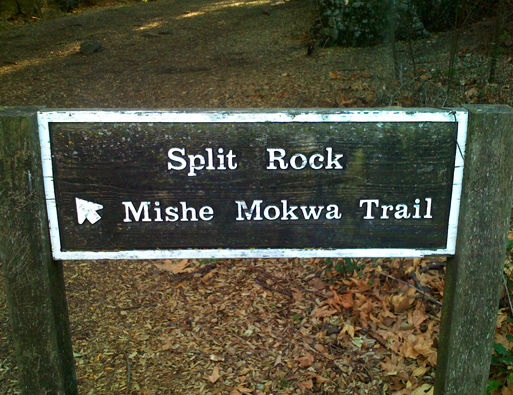
Split Rock

You’ll reach the head of the valley soon, and find yourself in a grove of oaks next to a stream which often has water even in the late summer. Another joy of this trail is the springs and greenery that flourish even when most of the hills are bone dry. It’s a great spot to rest, with a picnic table. It gets its name from the enormous boulder that rests nearby.

Splitrock_2

Walking through the gap is supposed to leave your demons behind. I always wonder if you just end up picking up the previous persons’?

Just past Split Rock is a turnoff that apparently leads to Balanced Rock. It’s signed, but unmaintained by the NPS. Me and Liz did explore it once, but it quickly became very hard to hike and unclear which route to take. It is used by a lot of climbers to get to the cliffs, so it must be possible if you know what you’re doing. There’s apparently another route to the bottom of the cliffs down the drainage at the bottom of the very steep section past Echo Rock, but it would be very rough too and I’ve never taken it.

Continue to the left up an overgrown fire road. You’ll go about half a mile, crossing below a rock formation that looks like a skull, cross a creek and then you’ll be on a clearer dirt road. This continues uphill for a while, and then emerges into a very shallow valley. In a while you’ll see a signed trail leading to Tri-Peaks. It’s about a half-mile spur trail that takes you to a beautiful set of peaks nearly as tall as Sandstone. It’s a great spot for a bit of lunch and sunbathing, with views out over the Conejo Valley on clear days.

Sandstone Peak, the misnamed mountain

Returning to the main path and ontinuing about another mile, you should see another small spur heading steeply up to Sandstone Peak. It’s only about 200 yards long, but involves a lot of rock scrambling. At the top is a visitor’s book and a plaque dedicated to a Mr Allen. The Boy Scouts who used to own all this land still know it as Mount Allen, but to everyone else it’s Sandstone Peak, even though it’s not sandstone at all.

Sandstonepeak

Sandstone Peak Fire Road

After returning to the main trial, which can be tricky because the spur trail is hard to follow going down, you’ll continue on for around two miles, winding your way down the mountain back towards Yerba Buena Road. If you parked at Mishe Mokwa, keep an eye out for the connector trail, it’s easy to miss. I prefer going up Mishe Mokwa and back along this fire road because it’s pretty steep and shadeless, which in the summer means getting very hot.

Green card delays

I just received an update on my green card application, which is now over 4 months overdue. It appears I’m stuck in the background check backlog. As I’ve been a legal resident here for over 6 years, and the only difference with the green card is that I could change jobs and travel a lot more easily, it seems unlikely that this is helping national security. It appears that over 100,000 people are stuck with delays of over a year, so I seem to be at the end of a very long queue.

What’s the secret to Amazon’s SIPs algorithm?

Calvincloud

The statistically improbable phrases that Amazon generates from a book’s contents seem like they’d be useful to have for a lot of other text content, such as emails or web pages. In particular, it seems like you could do some crude but useful automatic tagging.

There’s no technical information available on the algorithm they use, just a vague description of the results it’s trying to achieve. They define a SIP as "a phrase that occurs a large
number of times in a particular book relative to all Search Inside!
books".

The obvious implementation of this for a word or series of words in a candidate text is

  • Calculate how frequently the word or phrase occurs in the current text, by dividing the number of occurrences by the total number of words in the text. Call this Candidate Frequency.
  • Calculate the frequency of the same word of phrase in a larger reference set of set, to get the average frequency that you’d expect it to appear in a typical text. Call this Usual Frequency.
  • To get the Unusualness Score for how unusual a word or phrase is, divide the Candidate Frequency by the Usual Frequency.

In practical terms, if a word appears often in the candidate text, but appears rarely in the reference texts, it will have a high value for Candidate Frequency and a low Usual Frequency, giving a high overall Unusualness Score.

This isn’t too hard to implement, so I’ve been experimenting using Outlook Graph. I take my entire collection of emails as a reference corpus, and then for every sender I apply this algorithm to the text of their emails to obtain the top-scoring improbable phrases. Interestingly, the results aren’t as compelling as Amazon’s. A lot of words that intuitively aren’t very helpful showing up near the top.

I have found a few discussions online from people who’ve attempted something similar. Most useful were Mark Liberman’s intial thoughts on how we pick out key phrases, where he discusses using "simple ratios of observed frequencies to general expectations", and how they will fail because "such tests will pick out far too many words and phrases whose expected frequency over the span of text in question is nearly zero". This sounds like a plausible explanation for some of the quality of the results I’m seeing.

In a later post, he analyzes Amazon’s SIP results, to try and understand what it’s doing under the hood. The key thing he seems to uncover is that "Amazon is limiting SIPs to things that are plausibly phrases in a linguistic sense". In other words, they’re not just applying a simplistic statistical model to pick out SIPs, they’re doing some other sorting to determine what combinations of words are acceptable as likely phrases. I’m trying to avoid that sort of linguistic analysis, since once you get into trying to understand the meaning of a text in any way, you’re suddenly looking at a mountain of hairy unsolved AI problems, and at the very least a lot of engineering effort.

As a counter-example, S Anand applied the same approach I’m using to Calvin and Hobbes, and got respectable-looking results for both single words and phrases, though he too believes that "clearly Amazon’s gotten much further with their system".

There are some other explanations for the quality of the results I’m getting so far. Email is a very informal and unstructured medium compared to books. There’s a lot more bumpf, stuff like header information that creeps into the main text that isn’t intended for humans to understand. Emails can also be a lot less focused on describing a particular subject or set of concepts, a lot closer to natural speech with content-free filler such as ‘hello’ and ‘with regards’. It’s possible too that trying to pull out keywords from all of a particular person’s sent emails is not a solvable problem, that there’s too much variance in what any one person discusses.

One tweak I found that really improved the quality was discarding any word that only occurs once in the candidate text. That seems to remove some of the noise of junk words, since the repetition of a token usually means it’s a genuine word and not just some random characters that have crept in.

Another possible source of error is the reference text I’m comparing against. Using all emails has a certain elegance, since it’s both easily available in this context, and will give personalized results for every user, based on what’s usual in their world. As an alternative, whilst looking at a paper on Automatically Discovering Word Senses, I came across the MiniPAR project, which includes a word frequency list generated from AP news stories. It will be interesting to try both this and the large Google corpus as the reference instead, and see what difference that makes.

I’m having a lot of fun trying to wrestle this into a usable tool, it feels very promising, and surprisingly neglected. One way of looking at what I’m trying to do is as the inverse of the search problem. Instead of asking ‘Which documents match the terms I’m searching for?’, I’m trying to answer ‘Which terms would find the document I’m looking at in a search?’. This brings up a lot of interesting avenues with search in general, such as suggesting other searches you might try based on the contents of results that seem related to what you’re after. Right now though, it feels like I’m not too far from having something useful for tagging emails.

As a final note, here’s an example of the top single-word results I’m getting for an old trailworking friend of mine:
Ronsips

The anti-immigration one is surprising, I don’t remember that ever coming up, but the others are mostly places or objects that have some relevance to our emails.

One thing I always find incredibly useful, and the reason I created Outlook Graph in the first place, is transforming large data sets into something you can see. For the SIPs problem, the input variables we’ve got to play with are the candidate and reference frequencies of words. Essentially, I’m trying to find a pattern I can exploit, some correlation between how interesting a word is and the values it has for those two. The best way of spotting those sort of correlations is to draw your data as a 2D scatter graph and see what emerges. In this case, I’m plotting all of the words from a senders emails over the main graph, with the horizontal axis the frequency in the current emails, and the vertical axis representing how often a word shows up in all emails.

Ronscatter

You can see there’s a big log jam of words in the bottom left that are rare in both the candidate text, and the background. Towards the top-right corner are the words that are frequent in both, like ‘this’. The interesting ones are towards the bottom right, which represents words frequent in the current text, but infrequent in the reference. These are things like ‘trails’, ‘work’ or ‘drive’ that are distinctive to this person’s emails.
Should you cross the chasm or avoid it?

Gap

I recently came across a white paper covering Ten Reasons High-Tech Companies Fail. I’m not sure that I agree with all of them, but the discussion of continuous versus discontinuous innovation really rang true.

Crossing the Chasm is a classic bible for technology marketers, focused on how to move from early adopters to the early majority in terms of the technology adoption lifecycle. It describes the gap between them as a chasm because what you need to do to sell to the mainstream is often wildly different than what it takes to get it adopted by customers who are more open to change.

What the white paper highlights is that this ‘valley of death’ in the adoption cycle only happens when the technology requires a change of behavior by the customer, in his terms is discontinuous. Innovations that don’t require such a change are continuous. They don’t have such a chasm between innovators and the majority because the perceived cost of behavior changes is a large part of the mainstreams resistance to new technology.

This articulates one of my instincts I’ve been trying to understand for a while. I was very uncomfortable during one of the Defrag open sessions on adopting collaboration tools, because everyone but me seemed to be in the mode of ‘How do we get these damn stubborn users to see how great our wikis, etc are?’. They took it as a given that the answer to getting adoption was figuring out some way to change users’ behavior. My experience is that changing people’s behavior is extremely costly and likely to fail, and most of the time if you spend enough time thinking about the problem, you can find a way to deliver 80% of the benefits of the technology through a familiar interface.

This is one of the things I really like about Unifyr, they take the file system interface and add the benefits of document management and tagging. It’s the idea behind Google Hot Keys too, letting people keep searching as they always have done, but with some extra functionality. It’s also why I think there’s a big opportunity in email, there’s so much interesting data being entered through that interface and nobody’s doing much with it. Imagine a seamless bridge between a document management system like Documentum or Sharepoint and all of the informal emails that are the majority of a company’s information flow.

Of course, there are some downsides to a continuous strategy. It’s harder to get early adopters excited enough to try a product that on the surface looks very similar to what they’re already using. They’re novelty junkies, they really want to see something obviously new. You also often end up integrating into someone else’s product, which is always a precarious position to be in.

Another important complication is that I don’t think interface changes are always discontinuous. A classic example is the game Command and Conquer. I believe a lot of their success was based on inventing a new UI that people felt like they already knew. Clicking on a unit and then clicking on something else and having them perform a sensible action based on context like moving or attacking just felt very natural. It didn’t feel like a change at all, which drove the game’s massive popularity.

I hope to be able to discuss a more modern example of an innovative interface that feels like you already know it, as soon as some friends leave stealth mode!