Busy weekend!

Yawn

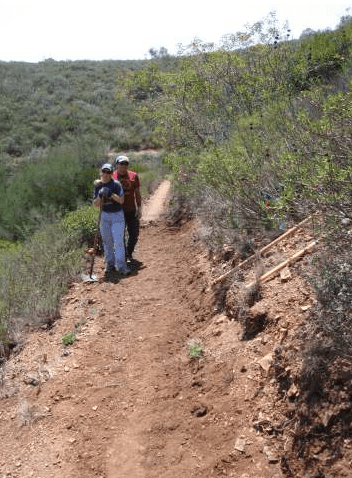
Me and Liz led a crew at the COSCA annual trail work day today, and we’ve got the CORBA Fat Tire Festival tomorrow. They’re both 6am starts, and we’re not exactly natural morning people, so we’re knackered!

I was hoping to complete a mini-guide to hiking on Santa Cruz Island, but bed is definitely calling. You can check out the Google map I finished showing the trails, but you’ll have to wait until later for photos and a description. I also had some fun learning about Outlook extension writing, I feel an article brewing on that too!

Funhouse Photo User Count: 1,638 total, 77 active. Not many adds, and almost as many removes, not sure why!

Event Connector User Count:
55 total, 8 active. A few more people finding it through the directory, no progress on new conference sign ups.

The implicit web and Clippy

Clippy

"It looks like you’re writing a blog post. Can I Help?"

Clippy was an implicit non-web application. He’s was built on a really clever piece of implicit analysis technology, and deliver a nightmarish user experience. It was so bad, there’s even a research paper devoted to exactly why he was so hated.

I try to remember Clippy when I find myself getting too deep into arcane algorithms, and too far from the user experience. One of the best pieces of advice I’ve had about application design is to imagine an actual concrete user in as much detail as possible, including a name. Then describe, step-by-step, her thoughts and actions as she tries to achieve her goal with the software. It’s amazing how many potholes you can discover with that simple process.

Fundamentally, the implicit web is about magic. It’s about weaving disorganized information into something useful. The danger comes because you’re filling in the blanks for the user, guessing at what information they want to see rather than relying on them asking for something explicit. The user pays a price every time they have to process the information you give them. If you throw irrelevant data at them, they’ll kick you to the curb, to join Clippy in his retirement.

Funhouse Photo User Count
: 1638 total, 77 active. A friend just pointed out that it’s unclear if your profile picture will get replaced when you pick from the app for the first time. That seems obvious now he says it, so I’ll be looking at making that clearer. A good example of the sort of thing it’s easy to miss when you’re focused on the technical problems.

Event Connector User Count: 46 total, 8 active. Still working on getting an ‘anchor’ conference for the app.

Build a social graph from your mailbox

Envelope
The implicit web is all about analyzing information a user has generated as part of some activity, and giving them a new way of looking at that data, generating insights they wouldn’t otherwise see. The most common source of information is web browsing, which sites are visited, which links are clicked. There is a source that’s just as interesting, but nobody’s using it; your mailbox.

Who sends mail to you, and who you respond to, how often and at what length. If you take that raw data and plot it in a graph, with links between you and people you correspond with, you end up with a pretty damn accurate graph of your relationships, limited only by the extent to which you use email to interact with your friends and colleagues. What’s more, by using the frequency of correspondence, you can approximate the strength of each relationship, and by seeing who else is included in emails, have a sketchy idea of the links between your friends.

As well as a social graph, you can also look through mail for links to web pages. Each one of those can be treated just as if that friend had voted for it in a service like Digg, and can be added to a list of the sites recommended by your local network.

Why’s no one doing this, if it’s so wonderful? Because it’s really, really hard to get to that data. Web-based email services like Google Mail or Hotmail would be able to do it on the server side, but that approach requires a large existing user-base. An alternative I’m investigating is writing an Outlook Add-In to gather some of this information. This would restrict me to business users, and involves wrestling the COM beast to the ground to implement, but I should be able to reuse some of my Internet Explorer BHO work at least.

Funhouse Photo User Count: 1,552 total, 123 active. This is encouraging, another peak in the growth rate, and no public holiday to account for it this time. Perhaps the graph is becoming slightly less linear?

Event Connector User Count
: 41 total, 10 active. Not much change. I’m still talking with promoters, trying to arrange official support for another conference.

Limitations of the Facebook API

Redlight

Facebook is walking a tightrope with its API; they need to expose enough functionality so we can develop compelling services, but guard against malicious applications that could degrade the Facebook user experience, for example by flooding people with spam.

The API is a compromise between these two conflicting goals, and I’m going to cover what you can and can’t do. Overall, I’ve been able to see some patterns in the decisions they’ve made about what to expose, and how to expose it:

  • Apps can only see what the logged-in user can see.
  • Getting access to any information held by Facebook requires the user to go through a screen where they temporarily authorize, or permanently add, the application.
  • The Facebook team are very conservative about letting applications change data held by Facebook. Most of the API is focused on reading data, there’s only a few specific places where you can alter data:
  1. Adding an application box to the user’s profile. This gives the app a small sandbox to draw something interesting, but the content has to be statically set by the application, and then is stored by Facebook. The only time you can update it is if the user takes an action that involves your application, there’s no way to fetch it dynamically. If there’s some scripts within the markup you place in the box, they aren’t run unless the user clicks on it in the profile.
  2. Publish an item on the feed. You can only publish to the current user’s feed, and the app is has time limits on how often it may call it, once every 12 hours for stories, 10 times a 48 hour period for actions.
  3. Send notifications or emails to friends. Again, there’s limits on how many you can send in a day, up to 10 emails and 40 emails and notifications. The user also has to go through an additional screen to authorize emails.
  4. Photo upload. An app must get additional permission from the user before it’s allowed to upload photos. Each application only has to do this once per user, the permission is granted permanently.
  5. Setting the user’s status text. This is another operation that requires an additional step of seeking permission from the user.
  • There’s no way to use the API to affect anything not covered here, such as adding information to group or event pages.

There is an alternative way to perform some actions that aren’t covered by the API, by hand-crafting Facebook internal URLs, and redirecting to them. There’s actually a bit of official documentation on this here.

Funhouse Photo User Count: 1493 total, 123 active. Back to the more typical growth rate, which is strong evidence the strong growth of the last few days was caused by Columbus Day boredom.

Event Connector User Count: 40 total, 10 active. Not much happening here so far, I’m reaching out to some more event promoters to get them to give it a go.

Funhouse photo gets a lot more users

Graph
After growing so linearly it was almost creepy, Funhouse Photo gained over 200 users since yesterday. And I have no clue why! I’ve been searching to see if it got mentioned or reviewed somewhere, but I’m drawing a blank. I don’t get much information from Facebook about how people found the app, I’d need to manually build in some tracking myself, and I’d probably not be able to get much information about the referring page anyway since Facebook does so much redirection.

Oh, I did just have a thought. It was Columbus Day yesterday, I bet there was a lot of bored people looking for something fun to do on Facebook. Interesting, probably won’t translate into a long-term trend if that’s the case.

I wish I could have made it to Graphing Social Patterns, the Facebook developer conference. From the notes, it looks like Danny Sullivan is thinking along the same lines as me with social search; wanting to use your friends’ browsing habits to give you more focused results.

Funhouse Photo User Count: 1466 total, 344 active. Probably a Columbus Day blip, but nice to see a growth spike.

Event Connector User Count
: 39 total, 5 active. Still working with Emile and Tim from New Media Expo to arrange some distribution of their connector, but not much activity otherwise.

Amazon’s already built an implicit web app

Cobweb

In preparation for Defrag, I’ve been trying to organize my thoughts on the implicit web. Previously, I gave an example of how implicit information could improve search. I realized as I was thinking about this last night that there was already a successful implicit application being used by millions of people every day; Amazon’s recommendation system.

It fits well with my idea of the implicit web; it’s using the data passively collected from users behavior to offer up recommendations, there’s no user data-entry required, it’s a behind-the-scenes servant offering up useful information. So if the implicit web’s been in use for years, why do we even need the term?

Amazon is in a very rare position; they have a massive set of trusted data to work with, and they know a lot about their users. This gives them enough information to chew on and produce something useful. Very few other sites have enough breadth (number of users) and depth (information about their user’s behavior) to do anything similar. To do something comparable without owning a site like that, services have to sit on the client side and collect information as the user browses the web.

me.dium is an example of that sort of service. At the moment, they’re offering a very simple service; show me where my friends are surfing, and related sites strangers are visiting that are similar to my current page. The second part is pretty similar to Amazon’s recommendations. The really exciting bit is that once users trust you with the data about where they’re surfing, and what their friends are, you can build some really compelling services. Here’s a few examples of what I’d do with that information:

  • Build an implicit list of favorites based on how often a user visits sites, and how long they spend there. Let them use it as a bookmark toolbar, or even publish it to their friends as their current favorites.
  • Highlight links that other people took most often to leave a page, and show pages they came from most often, giving friends a higher influence.
  • Let the user ‘stumble-upon’ pages that are popular with their friends right now.

I’m really excited about the possiblities, and I’m looking forward to some interesting conversations at Defrag!

Funhouse Photo User Count: 1,251 total, 60 active. Weird, a big jump from yesterday, almost 90 users, but the stats page claims only 22 adds in the last 24 hours. I’m not sure what’s up, but I’m not complaining!

Event Connector User Count: 36 total, 9 active. Not much change in the numbers, but there has been some progress. Tim from New Media Expo has set up a Facebook event for their 2008 show, and has around 100 guests so far. You can try out the connector here, I’m hoping that it will be as popular as it was for Defrag.

Bike trails in Sycamore Canyon

Woodcanyonvista

Sycamore Canyon is one of the my favorite places to bike in the Santa Monica Mountains, and I’m not the only one. The two main trail heads are in Thousand Oaks in the north, and off the PCH at Sycamore Cove on the coast. I usually take the main fire road that runs south through Point Mugu State Park, and then branch off and explore some of the less-travelled back-country areas

There’s some breath-taking views, technical downhills and heart-pumping hills, and maybe a few rattlers, coyotes and bobcats if you’re lucky! Even though it’s a popular area, there’s enough trails that you can easily for hours without seeing anyone once you’re off the fire-road. I’ve mapped out my favorite routes on Google, but if you don’t know the area I’d recommend buying a commercial map, such as the Tom Harrison’s for Point Mugu or the National Geographic’s for the Santa Monica Mountains.

Starting from the north, you have a couple of choices for parking lots in Thousand Oaks. I prefer the dirt parking lot at the south end of Wendy Drive, which is free, easy to reach from the 101, and has a nice single track over to the main fire road. You can also park in the Rancho Sierra Vista/Satwiwa parking lot, which is right next to the start of the fire road.

The road is paved for the first few miles, and quickly heads downhill on a section known universally as the Asphalt Hill. Going down is fun, but as I learnt on a hot August afternoon when I was fresh off the boat, make sure you have enough water for the return or you’ll get heat-stroke! At the bottom of the hill, it’s a lot more wild, with a great section running through oak groves, gently downhill along the side of the creek.

The first big junction you’ll reach is with Ranch Center Road. The main fire road continues straight, and you branch off to the west to get to Ranch Center. The road is roughly paved, and has some decent uphill sections, followed by a great downhill to the old ranch buildings that led to its name. From there, you can take Wood Ranch trail back to the main fire road, and also get access to a lot of other side-trails.

You can either take the main fire road south for a couple of miles, or take some single tracks on the other side of the creek that parallel it, and join up again by the Wood Canyon junction. The first single track is Sin Nombre, recently opened to bikes, and so-called because it’s never had a name on its sign. There’s some fun technical sections, and it leads onto Two Foxes, a similar single-track.

From the junction of Wood Canyon trail and Sycamore, you can take the fire road three miles down to the beach. It’s a pretty gentle downhill, but in the rainy season you’ve got about a dozen stream crossings to navigate.

Off Wood Canyon, there’s one of my all-time favorite trails, Guadalasca. Built about 15 years ago by my friend Frank Padilla, it’s a sweet single track snaking up the mountain, with some great views and lovely switchbacks. Watch out for some patches of poison oak towards the top.

As an alternative for the hard-core, you can take Hell Hill up to the same Overlook Fire Road that Guadalasca connects with. As you might guess by the name, it’s not for the weak-hearted. An exposed, steep fire-road, it doesn’t take any prisoners.

Once you’re on the Overlook road, you can take that down almost to the beach, and meet up with the main Sycamore fire road, or there’s another challenging single-track you can take instead. Wood Canyon Vista trail is rocky and technical, with a lot of great views over the canyon as the name suggests.

There’s a lot more single track trails that I haven’t listed, but those are my favorites. Be careful not to take any trails heading east from Sycamore fire road, that whole area is a protected wilderness with no bikes allowed. Most of the trails have steps, close brush or other obstacles so biking them would not be much fun anyway.

If you want a gentle ride without anything technical, I’d recommend starting at the beach end, taking the fire road to the base of the Asphalt Hill, and taking the same way back.

For a bit more of a workout, with some mildly technical sections and decent uphills, start at the TO end, turn onto Ranch Center Road, take Wood Canyon, and then the main fire road back to the trail head.

More hard-core bikers will get a kick out of the Ranch Center-Guadalasca-Wood Canyon Vista-Two Foxes-Sin Nombre loop. This gives you some solid elevation gain, and a lot of technical single-tracks.

View Larger Map

Funhouse Photo User Count: 1,166 total, 60 active. Continuing the same trend as the last couple of weeks, pretty slow growth.

Event Connector User Count: 34 total, 9 active. I fixed a few more bugs, and added some more feedback to show progress for the friend checking.

Event connector in the directory

Yellowpages
After three submissions, and two rejections, Event Connector was finally accepted into the directory. I was initially rejected for not having an icon, which was my fault, but the second rejection was for displaying secret events, which I never understood and filed a bug on. I didn’t make any changes to fix that, since I had no clue what they issue was, but I resubmitted it unchanged and this time it was approved!

I’ve started to get some more users through the listing, and had a really helpful conversation with Nikki Sullivan that led me to make changes to the UI. I added some links to reach the main page, with a sidebar icon for the app as well as a link in the title of the profile box. I love getting this sort of help, thanks Nikki!

I’m still unsure who’s going to be using the app. My initial plan was to target promoters, and have them spread the app as a flyer for a particular event. It looks like it’s more popular with guests so far, and they’re using it as a hub to view and investigate all their events. If that’s the direction my users are taking me, that suggests some extra features:

  • A profile button that displays all the upcoming events someone is attending.
  • List all the events that your friends are going to.
  • A cleaner, more compact view of all the events.

This would take it in the direction of being a SuperEvent organizer, rather than the promotional tool I was imagining it to be. I’ll be thinking about this some more, and trying to understand how people are using it.

Funhouse Photo User Count: 1,154 total, 59 active. Much as before, I’ve made no changes in the last two weeks, and the growth rate remains the same.

Event Connector User Count: 27 total, 15 active. After its first day in the directory, it’s picked up a some users, though I haven’t seen it used to promote an event yet.

My conference wishlist

List

I stumbled into thinking about organizing conferences online by accident. I was looking for a way to see which of my friends were attending Defrag, there wasn’t anything out there that let me see that, and so I built a Facebook app to solve my problem.

That went down well, so I generalized it into Event Connector, and went looking for more events to try it on. I want to see if its simple services solve painful problems for guests and organizers, which types of events are the best fit, and build a relationship with some early-adopting event promoters to learn more about the market.

I’m also thinking about the folks over at EventVue. They’re building a much more advanced system, a suite of online tools to let conference organizers offer guests lots of interesting services. They’re a sharp team, just graduated from TechStars with an angel round under their belt, and we’ve chatted in the past about their work. I’d like to be able to back up any advice I offer them with some concrete data, and the only way to get that is to try a few things in the wild.

As an attendee, here’s my personal pain-points with conferences:

I don’t know who’s going.
I usually end up bringing up conferences in conversations or emails with acquaintances in the runup to a show, but I don’t always remember, and I don’t ask everyone. Meeting old friends and connections is a big reason for going to conferences to me, so anything that increases my chances solves a big problem.

Nobody else knows I’m going. For both practical reasons, and yes, status reasons sometimes, it’s a benefit to me if I can advertise my attendance at a show. If I’m speaking, or doing something else prestigious there, I would like people to know that too. It’s even useful for past conferences, think of the strings of ribbons people wear to SIGGRAPH to demonstrate they’re old-timers.

It’s hard to organize informal get-togethers. Birds-of-a-feather sessions are usually the most valuable part of the show, but often it can be hard to arrange them, hear about them, and understand which are likely to be most useful.

Discussions finish at the end of a session.
Of course, small groups usually peel off and continue chatting about ideas that came up from a presentation, but these are fragmented and there’s no process beyond arranging to start an email thread to continue them. I’d love to have a online area for each session where questions and discussions could go on past the conference.

Funhouse Photo User Count:
1,143 total, 60 active. Continuing the trend of gradual growth.

Event Connector User Count: 19 total. I reached out to a few prominent people in the tradeshow world like Rich Westerfield, Sue Pelletier and Tim Bourquin. Rich put up a blog post which was picked up by a few other blogs, and that’s helped boost my total. The directory submission is in the queue again. My goal is to get at least one more event using a connector within the next week.

Facebook User Statistics

Funhouse_users
It’s really important to collect a few important statistics to measure a project’s progress. One of my goals is to create an app that has over 25,000 users, an arbitrary number but one that’s high enough to use as evidence that it appeals to people outside the early-adopter geek crowd.

I’ve been collecting daily statistics since I launched Funhouse Photo, and I wanted to do analysis on them. At the top is a static image of the graph I created using Google Spreadsheets, and I’ve included a live link below. I’d never used the Google office products before, and I was pleasantly surprised. They’ve done a good job replicating the usability of a desktop app on the web. Unfortunately my OS X Firefox 2.0.4 wouldn’t display the graphs correctly, and neither would Safari. Luckily, if strangely, FF 2.0.4 on Vista did work, so I was able to complete the job using that.

Visualizing the data immediately gave me two important insights:

  1. There’s a knee in the total user curve, and that corresponds to my introduction of asynchronous image loading. This is strong evidence that it’s something that puts users off using the app, and so makes improving that seem important.
  2. It’s hard to see any other changes in the adoption curve’s slope. This means that all the other upgrades I’ve done to the app haven’t had an impact. Adding more effects, including notifications in user’s feeds and the profile button all failed to increase adoption. Getting a positive review didn’t result in more users.

Facebook recently introduced a "More Stats" option for all apps. This gives you access to a lot more information about the number of adds and removes, as well as a sample of the actual urls people are visiting. There’s no way to download the history, so for now I’ll keep manually entering them every day.


Funhouse Photo User Count: 1142 total, 74 active. Still the same slow growth trend. Extrapolating, the entire planet should be using the app in around 411,000 years.

Event Connector User Count: 11 total. I’m still waiting to hear back on the bug I filed about secret events, and on my resubmission to the directory, but I am talking directly to some event organizers about trying it with their meetings.