Funhouse Photo improvements

Scarymonkey
I spent a lot of today working on Funhouse Photo. My first goal was to add notifications to user’s feeds when they updated their status. This was top of my list because it would improve the user experience by spreading the pictures and captions they created more widely. It should also help spread word about the app, so I’ll be keeping an eye on the user figures over the next few days to see if it has an impact.

My old picture choice used a two-step process; first picking the picture, then the caption. I had to cut that down to a single stage so I could add the feed item at the end. To do that, I integrated the caption setting with the picture choice, which left the picking page looking a bit more cluttered, but simplified the flow.

While I was working on that, I discovered a bug that must have been lurking for some time. I was always calling require_login() at the start of my PHP page generation, but for most of what I was doing (adding items to the profile, etc) it made more sense to call require_add(), since that gives the needed privileges. This meant that all the links designed to lure in new users would fail to produce any results, and instead the only way to get the application was to manually add it! This actually made me feel a bit cheerier about my user figures, since they were jumping through more hoops than I thought before they could install the app.

While I was researching that (there’s no documentation on those calls) I also ran across fb:profile-action. This lets you add a menu item below a user’s picture, which is perfect for Funhouse Photo, so while I was working I also put one of those in for folks who’d installed the app. Now when you’re browsing a profile, you will see a ‘Funhouse this photo’ link below the portrait, which I’m hoping will help the engagement level with the app.

As always, I’ll be watching the figures to see what difference this makes.

Funhouse Photo
User Count: 798 total, 59 active. A little worrying, since I think this was the exact total I saw a few hours ago. It seems a bit unlikely that nobody added it in the last few hours, so I’m hoping that it’s a glitch in the stats reporting rather than a bug in the app that’s preventing users from adding. The active total is a lot lower than I’d like, we’ll see if my recent changes help that.


Using Ajax in Facebook Apps

Ajax

I was unhappy with the user experience that my asynchronous loading changes introduced. It could take up to thirty seconds, and two pauses with blank browser windows due to reloads, before the user would see a set of photos.

So, I took a step back and tried to analyze the problem I was attempting to solve. I made these changes primarily because Facebook will show an error page if the server takes too long to produce a page. My first solution attempted to solve that by showing multiple intermediate loading pages, with artificial pauses between them to give the server time to do the time-consuming image processing.

The approach I’ve taken now is different. There’s a single page that’s loaded, but that then fires off an Ajax-style request to my server, asking for all the photos. The key thing is that this request will not produce a time-out error the way loading the same page directly through a Facebook frame will. It also avoids the blank page/reloading problem, instead you just see a loading message until the pictures are ready, and then that area is populated with photos. Another advantage is that there’s no artificial pause, instead the server returns the photos as soon as they are ready.

This doesn’t tackle the bigger problem of making sure that multiple image processing requests are handled efficiently, but the median response time still seems fast. The big problem before was that the less-common multi-second response times would be catastrophic, with an error page appearing instead of the expected result. Seeing the loading message for a few seconds instead is a lot less painful.

Here’s the actual code I use:

$ajaxurl = get_serverurl() . 'index.php?action=geteffectpicker' .
    '&user=' . $user .
    '&pickactionurl=' . urlencode($pickactionurl) .
    '&ismessage=' . $ismessage .
    '&sender=' . $sender .
    '&sourceurl=' . urlencode($sourceurl) .
    '&firstname=' . $firstname .
    '&senderfirst=' . $senderfirst;

?>
<div id="delayedpicker" style="padding: 10px;">

<a href="http://apps.facebook.com/funhousephoto/">Funhouse Photo</a> is loading the portrait for <?=$\
firstname?>, you should see their pictures in a few seconds

<script><!--

    var ajax = new Ajax();
    ajax.responseType = Ajax.FBML;
    ajax.ondone = function(data)
    {
      document.getElementById('delayedpicker').setInnerFBML(data);
    }
    ajax.requireLogin = true;
    ajax.post('<?=$ajaxurl?>');

//--></script>

This is all using Facebook’s MockAjax functionality, since real XMLHttpRequest calls are not allowed for security reasons. It took me a while to get working, mostly because I was calling $facebook->require_login() at the start of the PHP code that created the picture content. I discovered that this would try to redirect to the Facebook login page, and since the request is headless and you can’t actually log in, an empty result would be returned.

Instead, I ended up encoding all the information I needed from the Facebook API into the request URL, such as the first names of the users, and the URLs to use to pick a picture. This meant I was able to create the pictures without logging in to Facebook, and then it all worked swimmingly.

Funhouse Photo User Count: 701 total, 66 active. Still growing slowly, and I haven’t had time to add any more effects, or implement feed functionality.

Better ways to manage server load, and keep a nice user experience

User

One thing I’ve lost with my load-balancing changes is the fast display of pictures when a prospective user first clicks on the app. One of my goals with the app was to provide instant fun, to give people something cool within five seconds of clicking. The multiple page reloads that happen bug me, and will put off people checking it out for the first time. I’m looking at a few approaches:

  • Go back to the old method that created all the portraits synchronously within the PHP script. This meant you’d see a page full of images as the first result, and it normally only took around five or ten seconds to load. The downside was, if the machine was busy with another request, you’d see nothing, just an error message, since if you don’t respond with some content quickly enough, Facebooks gives up! This seemed to be happening more and more frequently…
  • Try to improve the current system of multiple page reloads, maybe by cutting down the number of intermediate stages from two to one by synchronously grabbing the user’s portrait as part of the page generation. Then I could at least display something interesting on the first page, rather than a blank page of text.
  • Write some smarter client-side code to grab the images when they’re ready. It’s been nice sticking to server-side coding for the app, since it’s a lot easier thant testing client-side code on all the possible user configurations.

I think I’ll end up doing a combination of the last two. As a quick stop-gap measure trying to cut down the pain of the multiple reloads, but on the weekend spending a bit more time sorting out something more ajax-y.

Funhouse Photo User Count: 573, 116 active. Still growing, but there does seem to be a slowdown in growth since I implemented the new load balancing.

Asynchronous image loading

Loading
After my cousin Roz reported she had trouble getting the app to load, I decided to add some very basic asynchronous image generation logic to Funhouse Photo. I found it was possible to get PHP exec() to run commands in the background if you piped stdout to /dev/null, so I set up a system that fired off all the image generation commands using that method, and returned a loading screen immediately.

That loading screen contains a setTimeout() javascript call that reloads the current page after five seconds, on the assumption that the images will have been created by then. If they aren’t, then another reload is caused.

There’s one big reason I chose to implement the loading this way; it’s very simple. It does have some disadvantages:

  • There’s the risk of infinitely reloading the page if an image command fails.
  • The user experience is pretty grotty. The redirect seems to take a very long time to complete, on the order of ten seconds or so. I’m not sure if this is Facebook doing something whacky, or me. Using top on my server shows a lot of idle time during these pauses, so I’m not sure where the delay is coming from.
  • You see a blank screen while the redirect is occurring, rather than anything a bit more compelling.

One idea I’m thinking about is pre-generating all possible images for all your friends when you first add the app, or at least for yourself. That seems like it could make the server load a bit less ‘peaky’, and spread the work out a bit. It would definitely require some kind of queuing/batch system though, and I haven’t made any progress on that.

I’m also looking into a more fine-grained and sophisticated lazy image generation method, like the one suggested by Stephen. It’s somewhat tricky on Facebook since all the image tags are rewritten, but I definitely think it’s the right direction to go in.

Funhouse Photo User Count: 507 total, 64 active daily. A great day of growth, with more than 100 new users since yesterday. I’m glad to see the growth accelerating a bit, though I don’t know how much of that was due to bored folks on Labor day! We’ll see what it looks like tomorrow. The active count was low. Hopefully adding in some new effects, now I’m done with foundation stuff, will help that out.

New effects for Funhouse Photo

Clown2

I’ve added some new effects to Funhouse Photo, taking the total up to 40. One thing I discovered was that the fx operator in ImageMagick is really slow, as in seconds for a 256×256 image with a fairly small expression. I was using this in some of my custom effects, so to avoid the performance hit I started a custom branch of ImageMagick, with some of the features I need compiled in. For example, I’ve added a new composite mode that distorts the base image, so I can create custom distortions in Photoshop as images.

As my next step I’m going to examine the database, and figure out which effects are most popular. Knowing how people are using the app will help me improve it, maybe removing some effects and replacing them with types that are more popular, and tweaking the captions. I also want to add in some feed notifications, and maybe an easy way for people to link to their photos from external sites, like their blogs.

Funhouse Photo User Count: 359, 72 active daily. The growth’s as before, but there’s quite a drop-off in the proportion of people active, though it’s pretty steady in absolute terms. I wonder if there’s something I can offer to make it more fun to keep playing with…

Queuing up commands in unix

Queue

I’m trying to lay down some decent foundations for processing images for a few thousand users from a single server. Because of the thrashing problem, one of the building blocks has to be a single queue for the CPU intensive image processing commands. Thrashing is when you run out of physical RAM, and you end up spending the majority of your time swapping virtual memory blocks on and off disk. This usually happens when there’s multiple memory-hungry processes competing, and as they’re time-sliced, they repeatedly push each other’s memory out of RAM, and pull in their own back. The result is that the actually take a lot longer to all finish than if they’d each run in sequence.

Well, this is an old, old problem, so I was hopeful that there’d be a tried and trusted unix mechanism to deal with it. The simplest way to avoid thrashing for my case is to make sure such operations do run one at a time, by keeping a single queue, and only running the next in the queue after the previous one is complete.

After some digging, I did discover batch, and it looked very promising. I ran into a few wrinkles. It expected a script file on disk as an input, rather than the dynamic commands I’d be feeding it, but I was able to avoid that by piping the output of an echo "<command to execute>" into the batch command. More serious was error reporting; it will sendmail the results of batch executions, but there doesn’t seem to be any other way of accessing that data. My simple tests worked, judging by the results I saw on disk, but some of the more complex ones failed, and I haven’t been able to work out why yet, because none of my server accounts have a mail set up.

Once I’ve got that working, my plan is to put all image processing commands into the queue, rather than executing them synchronously with the PHP page generation as I am at the moment. Then I’ll need to have a timeout call in the HTML itself, to refresh the page frequently until all the images have been completed. With all that in place, I should be able to show users some evidence that things are happening even when the server’s under a heavy load, rather than the blank page they see at the moment.

Funhouse Photo User Count: 268, active 78. Good to see it still climbing, and I’m not losing too many people. The active count is down, but that’s still around 40% of the users at the time the count was taken, so a good base to build on.

Engagement changes to Facebook stats

Lime

Facebook has just introduced some new default statistics for applications. Previously they would just show the total number of users that had installed the application, now they’re trying to measure how many people are actually using the app every day. This is an interesting change, since as they say you start off trying to measure what you value, and end up valuing what you measure. For Facebook apps, measuring the total number of users favored those that were shallow, but spread widely, whereas this new measure is designed to capture how much users actually engage with an app.

The measure is shown as a percentage of your users who actually take an action that interacts with your app every day. There are various actions captured, but they all involve the user actually doing something with your app.

The first day’s figures were very kind to Funhouse Photo, showing 86% of the users as active the previous day. I’d expect this to drop a bit as some of the novelty wears off, but I’m planning on regularly adding new effects in the hope this will keep people playing around with it, and sending photos to their friends. I’m also thinking about showing every photo change in your feed; I was worried that was a bit spammy, but I’d like to experiment to see if it is actually useful.

Funhouse Photo User Count: 200. Disappointing to be honest. It’s still climbing, but with a fairly shallow slope. I shall see be able to see if new effects and some more visible notifications give it a boost.

The new server is up and running

Server
I’ve now got the new server up and running at http://funhousepicture.com/. I’m holding off on moving the app from dreamhost until the DNS has had a good chance to propagate, but I’ve got a test version running successfully.

It was a really interesting experience getting the server running. cari.net is definitely set up for people wanting to resell server space, rather than my simpler needs. They also assume a good knowledge of linux server administration, which is a reasonable expectation, but one which I struggled to meet! Luckily google came to my rescue and I was able to struggle through

  • Setting up ssh for multiple users
  • Installing and building ImageMagick and its dependencies
  • Removing the virtual host bumpf that Plesk had set up for me
  • Sorting out the file permissions so the apache process could actually work with my non-root user
  • Removing auto_index from apache, since I really don’t want directory listings exposed to the world by default!

I was able to get that all done early this morning, and this evening, so the move should be possible tomorrow.

Funhouse Photo User Count: 164. It’s gone up more slowly than yesterday, but I am seeing plenty of people coming in from notifications their friends have sent them, which is promising.

Server overload!

Systembusy

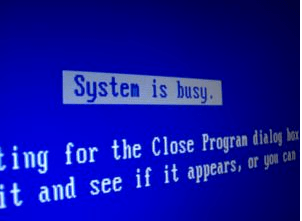
Funhouse Photo appeared on Facebook’s directory a few hours ago, and it’s up to 106 users already. The bad news is that I’m starting to see occasional timeout messages when I’m testing it. Looking at the CPU usage on my server using the unix command ‘top’, I see spikes that seem to be caused by the heavy image processing demands of creating the photos. I’m using a shared server on dreamhost and I was hoping to avoid upgrading until I had more users. Unfortunately it looks like this is the point where I need to switch to keep things reliable.

The next step up is to get a dedicated machine, rather than sharing the CPU with other users. I’ve been very happy with dreamhost, but their dedicated server packages start at $400 a month. That’s a bit much, so I’ve gone with a mid-range package from cari.net instead, at $135 setup and $135 monthly.

I will be very interested to see how this works now, and scales as usage increases. I may need to rewrite the image generation to make it more asynchronous, so that the CPU load is smoothed out rather than spiky. One way to do this would be to only create a few images at a time, and progressively load each page, but I’ll think on that some more…

Funhouse Photo User Count: 106, after today’s inclusion in the directory.

Facebook development tips

Starflower

Here’s some techniques I picked up during Funhouse Photo’s development.

Create a dummy user for testing notifications

Unless you’ve got a trusting friend willing to give you access to their account, you’ll need a second account for yourself to make sure that your notification and request code is working. This made me a bit uncomfortable, since one of the things I like about Facebook is how closely accounts correspond with real people. I did try to get by without using a second account for a while, and gave up when I realized I was probably starting to spam my friends, since it was sometimes unclear if a message had actually been sent.

Have a second copy of your app to use as a sandbox

I’m sure this is standard web app development practice, but as a client programmer, it wasn’t immediately obvious. Create a second app in Facebook (Funhouse Photo Testbed in my case) and use that for all your development work. When you’ve got a new version stable, change the config and copy it over the old version, so users see an instant change from one version to another.

Enable debug output from the API

Add this line to the top of your PHP files, before you include facebook.php

$GLOBALS['facebook_config']['debug']=true;

You’ll now see output for every facebook call you make. I wasn’t able to twirl open the categories, so I also edited call_method() in facebookapi_php5_restlib.php to have their styles default to visible.

Use GET rather than POST for passing data

I find it a lot easier to check the address bar to understand what data’s being passed than find ways to dig into the POST data (eg using LiveHttpHeaders). This is against the standard meaning of GET, since it’s not supposed to have any side-effects, but I’ve left it active in the released version anyway, since I enjoy life on the edge. It’s probably preferable to switch to POST for releases, and I’ll be looking at that in the future.