Camping in the Santa Monicas – Circle X

Mishemokwa

Moving east from Sycamore Canyon and La Jolla Valley, the next campground I know of is Circle X. It’s owned by the National Park Service, since that part is NPS property, confusingly even though there’s no National Park in the Santa Monicas. A ranger friend once told me there’s over a hundred different public and non-profit agencies who own land in the Santa Monica Mountains National Recreation Area, as it’s officially known!

One nice thing about it being a National property is that they have a bigger budget than the cash-strapped State Parks, and so actually have a good map and infomation web page up. The camp site is another group one, for 10 to 75 people. There’s water and toilets, and you can drive up to the camp ground. There’s also a ranch house that’s available for day-use functions, but not overnight.

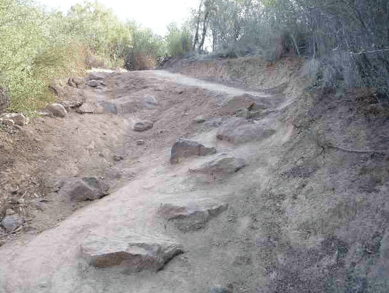
Some of my favorite trails start nearby; Mishe Mokwa, with its great views of hanging rock, and seasonal springs; the Grotto with some lovely rock-scrambling, and Sandstone Peak, the highest point in the Santa Monicas at 3,111 feet that offers some amazing views.

Funhouse Photo User Count: 747 total, 80 active. Much as before, there seems to be a steady stream of new people adding the app, and a smaller number using it each day. Some questions I’d like to figure out are if new users are arriving via messages sent by their friends, or just spotting it on profiles, and whether people tend to change their photo, or just pick one and leave it. I shall need to do some database-crunching to pull out that information.

The way forward for search

Search

Most of the focus on improving search is around the algorithms for producing the results. Even this article asking Is Search Broken? mentions that the holy grail is producing the right result with a single click.

I think that’s rubbish, for a few big reasons:

  • Most of my searches aren’t for one perfect page. There’s a lot of different types of searches. Usually there’s a set of pages that will each either answer my question fully on their own, will answer the question when read together, or will help me refine my search.
  • Search terms don’t provide enough information. There’s plenty of techniques to infer extra information from things known about the user, but they’re all guesses. In my experience, they can really get in the way since they can’t read minds, and block out results they think I’m not interested in. With the inherent fuzziness of search results, what’s really needed is a better way for me to do the final winnowing, interactively.
  • I don’t always know what I’m looking for! Often, I’m using search results as a way to learn more about a general area, or get an idea of what’s out there so I can focus my thinking. Since I don’t have a specific goal in mind, there is no single right answer.

Machine-powered algorithms are necessary, but once they’re good enough, they start giving you diminishing returns. What’s missing is support for the final user-powered step of rapidly sorting and eyeballing those search results. There’s a workflow that we all go through when searching, that involves clicking on a link, scrolling down through the page, clicking back, hunting for the next interesting link in the results. It makes no sense that there’s no good tools to speed up this process.

Google Hot Keys
is a start for addressing this, but there’s so much more that could be done. I want a visual representation of my search results that I can truly browse through, like an OS X dock full of pages. I want to be able to eliminate a page, and have all similar pages disappear from my results. I want context menus. I want my search results page to be easily accessible, even visible, as I browse through pages I’ve found. I want to be able to focus on pages that are in my browser history, or are linked to ones in my history, since I’ve implicitly voted those as trustworthy to me. I want to know which pages people clicked on most, and spent most time on.

Funhouse Photo User Count: 731 total, 86 active. Much the same story as yesterday, I want to make some changes to freshen it up, but I won’t have time for at least a few days.

Using Ajax in Facebook Apps

Ajax

I was unhappy with the user experience that my asynchronous loading changes introduced. It could take up to thirty seconds, and two pauses with blank browser windows due to reloads, before the user would see a set of photos.

So, I took a step back and tried to analyze the problem I was attempting to solve. I made these changes primarily because Facebook will show an error page if the server takes too long to produce a page. My first solution attempted to solve that by showing multiple intermediate loading pages, with artificial pauses between them to give the server time to do the time-consuming image processing.

The approach I’ve taken now is different. There’s a single page that’s loaded, but that then fires off an Ajax-style request to my server, asking for all the photos. The key thing is that this request will not produce a time-out error the way loading the same page directly through a Facebook frame will. It also avoids the blank page/reloading problem, instead you just see a loading message until the pictures are ready, and then that area is populated with photos. Another advantage is that there’s no artificial pause, instead the server returns the photos as soon as they are ready.

This doesn’t tackle the bigger problem of making sure that multiple image processing requests are handled efficiently, but the median response time still seems fast. The big problem before was that the less-common multi-second response times would be catastrophic, with an error page appearing instead of the expected result. Seeing the loading message for a few seconds instead is a lot less painful.

Here’s the actual code I use:

$ajaxurl = get_serverurl() . 'index.php?action=geteffectpicker' .
    '&user=' . $user .
    '&pickactionurl=' . urlencode($pickactionurl) .
    '&ismessage=' . $ismessage .
    '&sender=' . $sender .
    '&sourceurl=' . urlencode($sourceurl) .
    '&firstname=' . $firstname .
    '&senderfirst=' . $senderfirst;

?>
<div id="delayedpicker" style="padding: 10px;">

<a href="http://apps.facebook.com/funhousephoto/">Funhouse Photo</a> is loading the portrait for <?=$\
firstname?>, you should see their pictures in a few seconds

<script><!--

    var ajax = new Ajax();
    ajax.responseType = Ajax.FBML;
    ajax.ondone = function(data)
    {
      document.getElementById('delayedpicker').setInnerFBML(data);
    }
    ajax.requireLogin = true;
    ajax.post('<?=$ajaxurl?>');

//--></script>

This is all using Facebook’s MockAjax functionality, since real XMLHttpRequest calls are not allowed for security reasons. It took me a while to get working, mostly because I was calling $facebook->require_login() at the start of the PHP code that created the picture content. I discovered that this would try to redirect to the Facebook login page, and since the request is headless and you can’t actually log in, an empty result would be returned.

Instead, I ended up encoding all the information I needed from the Facebook API into the request URL, such as the first names of the users, and the URLs to use to pick a picture. This meant I was able to create the pictures without logging in to Facebook, and then it all worked swimmingly.

Funhouse Photo User Count: 701 total, 66 active. Still growing slowly, and I haven’t had time to add any more effects, or implement feed functionality.

Camping in the Santa Monicas – Sycamore Canyon

Danielson

A few miles to the east of La Jolla Valley is Sycamore Canyon. There’s a fire road that runs along the floor of the canyon all the way from the beach up to Satwiwa/Rancho Sierra Vista in Thousand Oaks, and some glorious side-trails that head off it into the back-country. The road is great for a fairly gentle bike ride, and very popular, and there’s some great technical trails on the west side of the canyon. The east half is designated wilderness, so there’s no biking. Some of my favorite hiking trails go through the wilderness there though, like Old Boney and Chamberlain trails.

There’s a big campground right at the south end of the Canyon, just off the PCH. Sycamore Cove is a large paved site, suitable for RVs, and very, very popular! I don’t think there’s any time of year that it isn’t fully booked in advance. It’s in a great location for exploring the mountains, but I’ve been put off by how busy it is. Probably most suitable if you want a family getaway with access to the beach, it has full facilities including showers and a campground host.

Much less used is Danielson campground, about four miles north up the Canyon fire road. It’s a group site, so you’ll need to have a large group, a dozen or more, to reserve it. Its location is amazing though, you can drive up the fire road to get there, but it’s in a small side-valley, in the center of a grove of oaks. There’s a central outdoor fireplace and picnic area left over from when the park was a ranch, and it will comfortably hold a couple of hundred people.

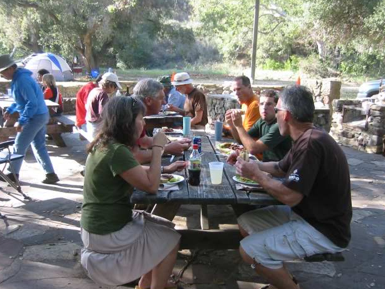
Perhaps the best way to check it out is the annual Santa Monica Mountains Trail Days camp-out, where a hundred or so volunteers camp Friday and Saturday nights, do trail maintenance during the day, and are rewarded with a lovely barbecue on Saturday evening, as well as some entertainment from the rangers. The heading photo is from this years barbecue. It’s in the last week of April, keep an eye on the Santa Monica Mountains Trails Council site for details.

Funhouse Photo User Count: 681 total, 81 active. Good to see the total still growing, I still need to find time to update the effects, and maybe add news-feed notifications to see if I can boost growth.

madKast Review

Madkastlogo

After commenting on a post by Brad, I was contacted by Josh Larson of madKast, asking if I’d like to try their widget.

As background, madKast is one of the offspring of the TechStars incubator program, which was founded by David Cohen. Coincidentally, I’d just finished "All Drive, No Vision", the story of David’s first startup, which I found fascinating, and deserves a blog entry of its own.

Once you add madKast to your blog, a small icon appears next to all your blog entries. Clicking on that icon lets users email or text message the blog entry to their friends. It’s a very clean user experience, they see an additional icon, and clicking on it brings up a modal dialog that allows them to email, text-message, or share the entry through a social tagging service like Digg or Facebook Sharing:

Madkastscreenshot

It doesn’t seem to slow down the loading of my blog, which is a major problem with a lot of other widgets, and it doesn’t add much visual clutter. I really like the widget’s focus, it’s aimed at doing a great job at helping users share blog links, and succeeds. I’m planning on keeping the widget on my blog, it seems like it will improve my reader’s experience. Congratulations to Josh and the team, it’s a great product!

Here’s some things I’d love to see as it grows in the future:

  • Site statistics. I’d love to know which posts users were sharing, and anything that offers usage feedback is like catnip for bloggers, so it seems like it would help spread the widget. Anonymous would be fine for me if there’s any privacy concerns. Maybe the most popular shared links could be shown on the madKast main page? Those would all be great incentives for sites to install it.
  • Client-based. There’s a small but vocal minority of people who like to share links they find, and a larger group of passive consumers. This is my bias towards client-based solutions showing, but I think it could be a big win to persuade the avid link-sharers to install a Firefox extension (or IE BHO) that implemented the same functionality. That’s drifting more towards a delicious or digg model obviously, but it seems an obvious reuse of the existing infrastructure.
  • Customization. I’d love to be able to alter the appearance and positioning of the icon, and maybe even the look of the dialog that appears, maybe using some CSS options.

Funhouse Photo User Count: 665 total, 83 active. Last night I implemented Ajax loading for the photo pages, so that the user immediately sees a loading page, and then the photos are created synchronously on the server. The result is that the photos appear quickly, and there’s no painful full-page reloading as there was with the old method. I’m hoping this will increase the growth rate. Now I’ve got this going, I really need to add a few more effects to draw people in.

How to keep adding features while you rebuild

Balancedstones

Brad Feld had a recent post about a classic scenario in software; you have an existing product that needs a complete strip-down and rebuild to meet new needs, but you can’t afford to stop releasing new features while the work’s being done. His advice is that you just need to grin and bear the pain until the rework is done. As an engineer, that’s definitely my preferred option. It’s much more efficient to keep the whole team focused on the rewriting.

Often though, engineering efficiency is beaten out by market, management and investor demands. So then what do you do?

The first time I ran across this was in games. Sports games demand annual releases. There’s no way that you can rebuild a whole rendering engine and art pipeline in a year, so what EA did was plan for an under-the-hood rewritten release every two years. In the off year they focused on adding things like championship simulations, updated graphics and new statistics. What amazed me was users were just as happy with the off-year releases!

A few years later I was working on an image-processing product. We had a very short time to ship a second release, and we were struggling because most of the features we looked at required big rewrites. For fun, I’d written a MIDI interface to the program, even though it wasn’t music-related. It took me a weekend to write it, everyone on the team considered it an amusing curiosity, but users loved it. In the end it turned out to be one of the most-talked about features of the release, and really helped the release.

So, what’s my advice? I try to follow the EA strategy, and identify engineering-light features that we can develop with minimal disruption to the rewrite. Try to keep an open mind and don’t automatically dismiss these as cosmetic. As long as they improve the experience of using your product, your customers will thank you!

Funhouse Photo User Count: 634 users, 51 active daily. I’m definitely seeing growth and active use tail off, and the obvious suspect is the async loading changes that cause the initial screen to take longer. I’m definitely hitting scaling problems myself here! I have some new effects in mind that I’d like to add, but it seems like that’s less urgent than fixing the loading.

Camping in the Santa Monicas – La Jolla Valley

Camping

I was chatting about local camping the other day, and realized there really wasn’t any good documentation on where you can camp in the Santa Monica mountains. Here’s the only official list I could find, but it doesn’t have much information on the different site. We’ve got some amazing trails, but there is a shortage of overnight spots. There are a few options though, so I’ll try and cover the ones I know about over the next few days.

First up is the La Jolla Valley. It’s on the west side of the Santa Monicas, past Malibu and Sycamore Canyon if you’re driving along the PCH from LA. What’s really special is that there’s a hike-in campground here, with no reservation required, and it’s not usually too heavily used. It’s primitive, without much in the way of facilities, and a friend using it complained about the coyotes sniffing around his tent at night, but for a last-minute get-away it’s hard to beat. Being no reservations, it’s first-come, first-served, so you don’t have a guarantee that you’ll be able to camp of course! The two mile hike in tends to keep numbers down though. I recommend giving the State Park Service a call before making a trip, to make sure it’s not closed because of fire danger, and to hear any advice they might have about using the site.

I’ve prepared a google map showing the campground and how to get to it.  I’ve done it from memory, make sure you’ve got a good local trail map like the Tom Harrison or National Geographic ones, since there’s a couple of forks in the trail that can lead you astray.

There’s also a group campground by the parking lot, which I’ve had some great times at. It looks out over the beach, with the sound of breakers alternating with coyote howls most evenings. I won’t be spending too much time on the group campgrounds though, since they usually require a minimum of between ten and twenty people to book, which is hard to arrange for most people. If you can gather that many folks, they can be a good option though, since there are a lot more group campgrounds than individual ones, and they never seem to be as heavily used.

In my next post, I’ll cover Sycamore Canyon’s camping options.

Funhouse Photo User Count: 617 total, 75 active. It definitely looks like growth has slowed since I implemented the server changes. It’s good to have such instant feedback, but it’s a shame I’ll need to wait until the weekend to try to improve the user experience.

Better ways to manage server load, and keep a nice user experience

User

One thing I’ve lost with my load-balancing changes is the fast display of pictures when a prospective user first clicks on the app. One of my goals with the app was to provide instant fun, to give people something cool within five seconds of clicking. The multiple page reloads that happen bug me, and will put off people checking it out for the first time. I’m looking at a few approaches:

  • Go back to the old method that created all the portraits synchronously within the PHP script. This meant you’d see a page full of images as the first result, and it normally only took around five or ten seconds to load. The downside was, if the machine was busy with another request, you’d see nothing, just an error message, since if you don’t respond with some content quickly enough, Facebooks gives up! This seemed to be happening more and more frequently…
  • Try to improve the current system of multiple page reloads, maybe by cutting down the number of intermediate stages from two to one by synchronously grabbing the user’s portrait as part of the page generation. Then I could at least display something interesting on the first page, rather than a blank page of text.
  • Write some smarter client-side code to grab the images when they’re ready. It’s been nice sticking to server-side coding for the app, since it’s a lot easier thant testing client-side code on all the possible user configurations.

I think I’ll end up doing a combination of the last two. As a quick stop-gap measure trying to cut down the pain of the multiple reloads, but on the weekend spending a bit more time sorting out something more ajax-y.

Funhouse Photo User Count: 573, 116 active. Still growing, but there does seem to be a slowdown in growth since I implemented the new load balancing.

Asynchronous image loading

Loading
After my cousin Roz reported she had trouble getting the app to load, I decided to add some very basic asynchronous image generation logic to Funhouse Photo. I found it was possible to get PHP exec() to run commands in the background if you piped stdout to /dev/null, so I set up a system that fired off all the image generation commands using that method, and returned a loading screen immediately.

That loading screen contains a setTimeout() javascript call that reloads the current page after five seconds, on the assumption that the images will have been created by then. If they aren’t, then another reload is caused.

There’s one big reason I chose to implement the loading this way; it’s very simple. It does have some disadvantages:

  • There’s the risk of infinitely reloading the page if an image command fails.
  • The user experience is pretty grotty. The redirect seems to take a very long time to complete, on the order of ten seconds or so. I’m not sure if this is Facebook doing something whacky, or me. Using top on my server shows a lot of idle time during these pauses, so I’m not sure where the delay is coming from.
  • You see a blank screen while the redirect is occurring, rather than anything a bit more compelling.

One idea I’m thinking about is pre-generating all possible images for all your friends when you first add the app, or at least for yourself. That seems like it could make the server load a bit less ‘peaky’, and spread the work out a bit. It would definitely require some kind of queuing/batch system though, and I haven’t made any progress on that.

I’m also looking into a more fine-grained and sophisticated lazy image generation method, like the one suggested by Stephen. It’s somewhat tricky on Facebook since all the image tags are rewritten, but I definitely think it’s the right direction to go in.

Funhouse Photo User Count: 507 total, 64 active daily. A great day of growth, with more than 100 new users since yesterday. I’m glad to see the growth accelerating a bit, though I don’t know how much of that was due to bored folks on Labor day! We’ll see what it looks like tomorrow. The active count was low. Hopefully adding in some new effects, now I’m done with foundation stuff, will help that out.

How to add new effects to ImageMagick

Ax

ImageMagick isn’t focused on artistic effects, so I’ve had to port over some of my work from PetesPlugins to give Funhouse Photo a bit more flair. So far I’ve added distortion maps, erode and dilate operators, and scaling an image to the size of another image. I will eventually try and merge what I can into the main branch, but for now my current source code is up at http://funhousepicture.com/ImageMagick-6.3.5.tar.

The first hurdle is compiling the stock ImageMagick code base. You can either download the source as a tar, or grab it from subversion. I very strongly recommend you stick to Linux, I didn’t have much luck with either the Windows or OS X versions I attempted. The source didn’t contain the VisualMagick folder that I needed for Windows compilation, and once I’d found that in a special WIndows version of the source tree, it turned out that they don’t ship any workspace files, but instead require the compilation of a utility to produce the project files. Since this utility requires MFC, it won’t work with Visual Studio Express, so I had to abandon Windows.

My next shot was on OS X, and I was anticipating a smooth Unix ride. Unfortunately, getting the libjpeg, libtiff and libpng libraries set up quickly turned into yak-shaving. I was several levels of recursion deep (using fink to grab the dependent libraries failed to persuade configure to find their headers, building them myself on OS X turned out to need obscure hand-hacking of libpng’s make files, which required strange changes to the IM code, etc), that I decided to give up on building locally, and stick to building remotely on my server, despite the long turnaround time on compiler errors.

Building IM on my Red Hat Fedora Linux server was super smooth. I just grabbed the source, ran yum install libjpeg-devel, etc to install the libraries I needed, and I was building in no time.

The architecture is split up into several different layers. I’ll cover the changes I needed to make to put in the erode and dilate operators. The lowest level is the base magick directory, and effect.c holds most of the base effect methods. There’s two versions of each method, one of which applies to all color channels, and is a stub passing in an ‘all channels’ flag as the channel mask to the second workhorse processing function that does all the actual work.

Once you’ve got methods in there, you need to let the interface layers know. There’s a lot of different interfaces to the base processing layer, including scripting, C++, Perl and a direct GUI, but I’m mostly interested in the command-line tools. Here’s the places I found I needed to add references to any new function, to make it visible to convert:

  • magick/methods.h : Not sure about this one, but adding the declaration here didn’t hurt.
  • wand/convert.c : You need to add an if (LocalCompare(<command name>)… clause into the massive ConvertImageCommand() function here, to make sure the argument is accepted by convert. You don’t actually do any work here, apart from validating the arguments.
  • wand/mogrify.c : The actual image processing for convert is handled by mogrify, which focuses on dealing with a single image. You’ll need to add another string compare here in MogrifyImage(), and actually call the image processing commands on a match.

There’s other interfaces to IM that also need to be notified of any new operators, but since I don’t use them, and couldn’t test any changes, I’ve not looked into how to do that. You also need to do things a bit differently if you’re adding a composite operation, or an image sequence command, but I’ll cover those in a future article. I’ll also be asking the IM folks to look over this all, since I’m new to the code base.

Funhouse Photo User Count: 401 total, 116 active. Another steady day of growth, with 30% of the users active. I also had a sweet review from JasMine olMO, "i love this!! this is like the best mood app out there"!