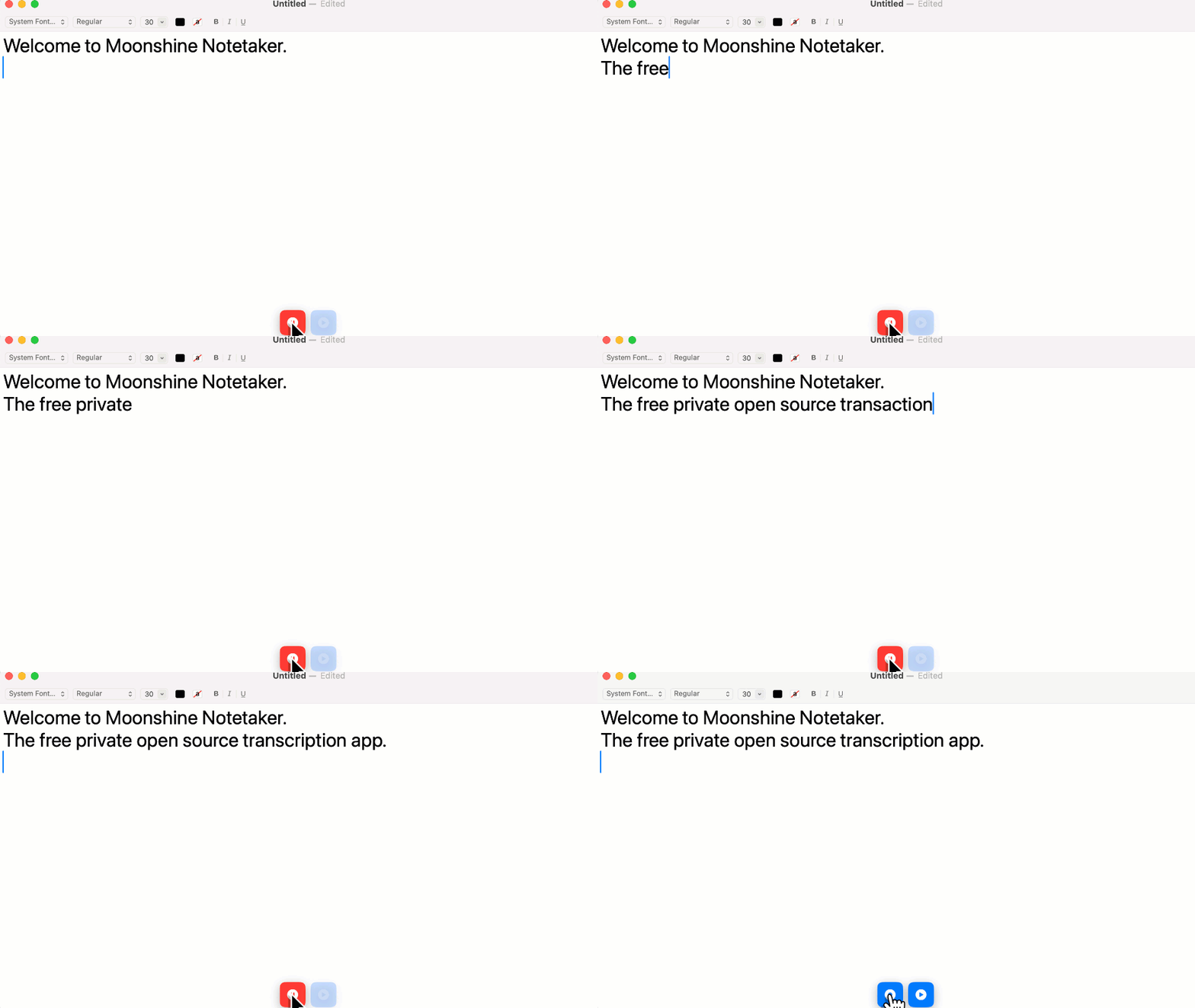
TL;DR – Please try Moonshine Note Taker on your Mac!
For years I’ve been telling people that AI wants to be local, that on-device models aren’t just a poor man’s alternative to cloud solutions, and that for some applications they can actually provide a much better user experience. It’s been an uphill battle though, because models all start in a datacenter and using cloud APIs is often so much easier for developers. There was a saying at Google that a picture is worth a thousand words, but a working demonstration is worth a thousand pictures, so with the release of the new Moonshine models I decided to show the advantages in a tangible way.
As a CEO my primary job seems to be joining meetings to nod sagely along while I try to figure out what’s going on, and to remember what we decided in previous meetings. Like a lot of people whose job involves this kind of work, I’ve found AI meeting note taking and transcription apps increasingly useful, but I kept wishing the user experience was better:
- It was often hard to correct or format the transcriptions, especially during meetings.
- The results would end up on a website I’d have to log into, or in my inbox, when I usually just want to save them on my laptop.
- Even if an app gave me a live view, there was usually a long delay before text appeared, and it didn’t update very frequently.
- I found trying to review the notes afterwards more difficult than it needed to be. I often wanted to hear the recording for an important sentence to help my understanding, and most apps don’t let you do that.
- Trusting a startup to store and protect very sensitive conversations makes me nervous. Servers full of thousands of people’s meetings are always going to be tempting targets for hackers, and you never know when a startup’s business model will change.
- I already have a thousand subscriptions, keeping track of them is a pain, and there were often usage limits even when I did pay.
I was also frustrated as an engineer that using the cloud for this use case was an inelegant solution. Speech to text deserves to be a core operating system function, just like keyboard drivers, and using the cloud adds unneeded complexity.
To address these issues, I’ve just released the first version of Moonshine Note Taker, for Macs.
- You can edit and lay out the notes as people are talking with no delay, and using a familiar native Apple interface.
- The results are .
transcriptfiles that you save just like any other document, locally on your machine, never touching the cloud. - The transcriptions show up almost instantaneously.
- Audio is saved alongside the transcription, and playing back a particular section is as simple as selecting the text or moving the caret and pressing the play button.
- There is absolutely no connection to the cloud. All data is kept entirely on your drive, and can be deleted instantly whenever you decide. Because it’s local, your app will never be bricked by an acquisition or pivot either.
- Because I don’t have to pay server costs, I can afford to make this free and open source without losing money, and I’ll never have to impose usage limits.
If you get a chance, please give it a try and let me know what you think. I’m hoping this will be a tangible demonstration of the power of local AI, and inspire more integrations of the Moonshine framework into new and existing applications, so feedback will help a lot.
 Pete Warden's blog
https://github.com/moonshine-ai/MoonshineNoteTake – this link appears broken. Thanks for this amazing tool.
Thanks! I’ve fixed that now.